
Remove Mapquest Satellite layer from favorites

I prefer using the Mapbox satellite imagery to Mapquest, but it looks like the “Satellite - Mapquest” layer is permanently stuck in my favorites.
That is, I can’t remove it from my favorites because I can’t find it under “Add map layers”->”Satellite imagery” in order to hit the “Remove” button.
Am I missing something?
0
-

Hi Kirill,
I'm sorry for the trouble,
You can remove deprecated maps from your layers list by following these steps:- Tap on the Layers icon.
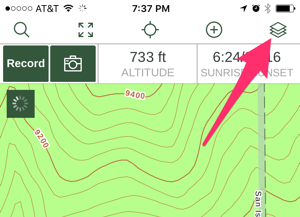
- Turn off Layered Maps
- Swipe your finger left over the map source you'd like to remove.
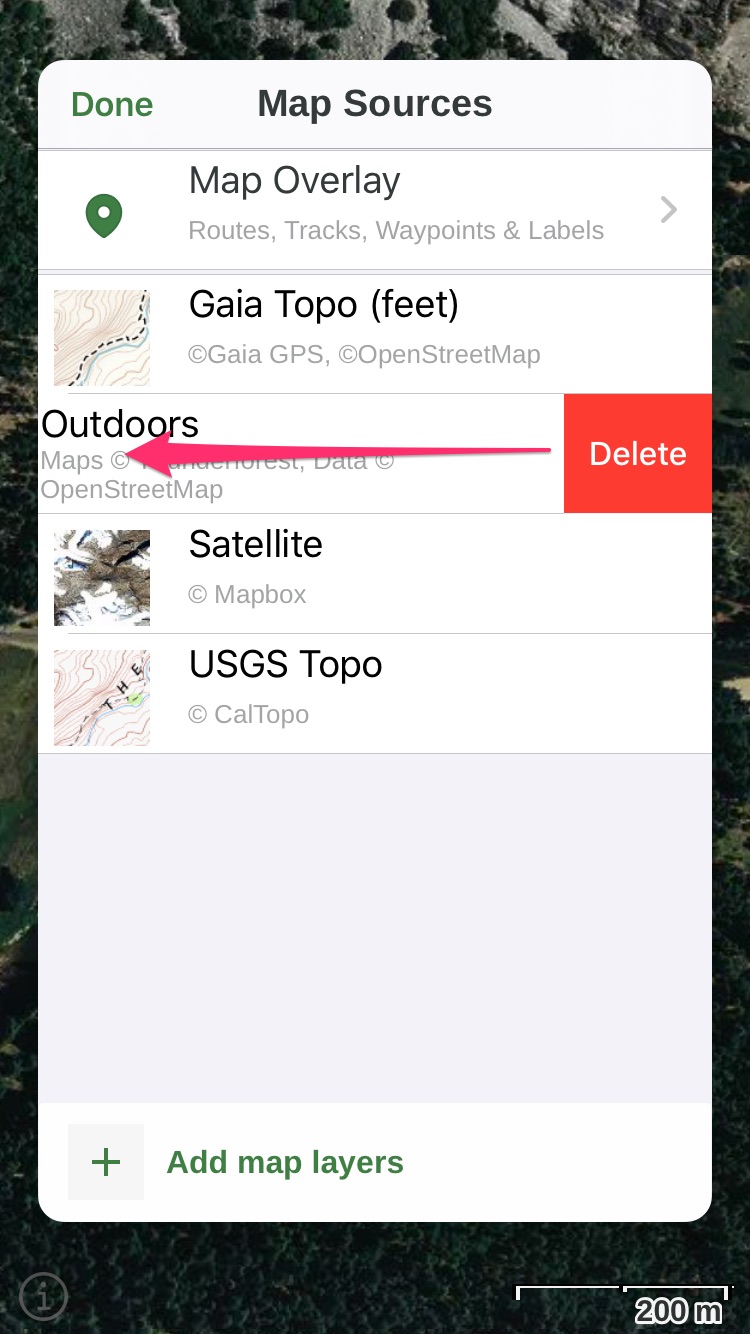
I sent you an email with the same steps. If you have any trouble, feel free to respond to that email or send a new email to support@gaiagps.com.0 - Tap on the Layers icon.
-

Omg ty. I have been struggling with this!!!
It is still a bug as of 2020-09-290
Please sign in to leave a comment.
Comments
2 comments