
gaiagps.com UI disaster
Answered
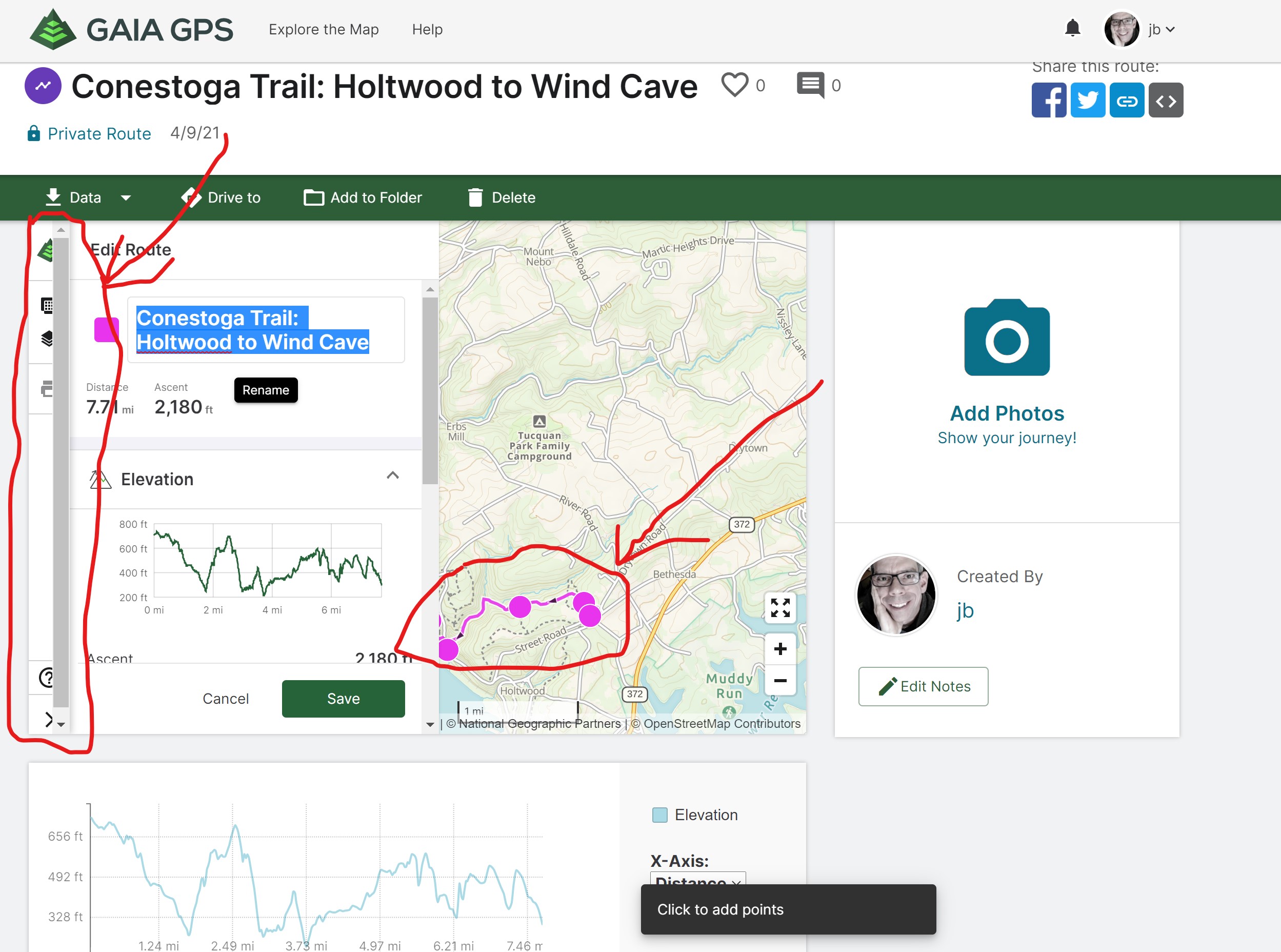
Partially obscured icons, partially obscured route, lots of wasted screen space, totally obvious UI disaster.
To edit a route, you click edit next to the name--which implies renaming, not changing the route. The route and waypoints are mostly obscured, making editing nigh impossible.
-

Hey @jb,
It looks like you're on this route's details page. Everything you're doing here is way easier to do from the main map. Here's what I recommend:
1. Click 'save' to save your current progress on that route.
2. Click the 'full screen' button in the bottom right, just above the zoom buttons.
3. This takes you to the main map.
4. Click on your route > click 'edit'
5. Now you're editing this route on the full-page main map.
These details pages are still around from before we added the data sidebar to the main map page. They'll be removed eventually, but we still have some back-end work to do before they're completely removed. I recommend using the sidebar for all your route creating and editing needs going forward.
Here's more info about the sidebar:If you need anything else reach out to support.
0 -

I understand you guys are going to do away with the details pages but from a simple presentation layer programming standpoint, is it really that hard to tweak the code temporarily to 1) add some more padding so things aren't cut off horizontally and 2) get rid of that completely useless scroll bar? There are still important reasons for now to visit the details page (photos being a big one and also using the Add to Folder function to file items as another big one) and it'll likely be a good while before the details pages are eliminated.
0 -
Yeah, it's not that I couldn't figure out how to edit a route, but that's no excuse for presenting the user with a train wreck. In any case, the details page still sucks, clipping icons and leaving space unused. On the main map, the edit function still looks at first more like a rename function. Don't get me started on the one pixel precision required to select a route to move it versus drop a new point after the last point.
0 -
5stone thanks for this feedback. I'll look into removing that scroll bar and fixing that cut-off.
Btw, you can add things to a folder from the sidebar like this: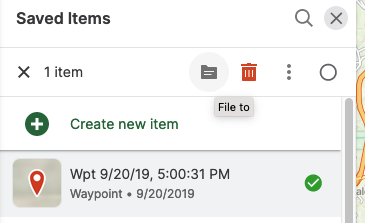
(select an item > click the folder icon > choose a folder to file the item to)
jb you're not the first one to mention that the "edit" button is a bit confusing. We're working on that one.Can I get you started actually? While creating a route, you're having difficulty moving a section of route that's already been placed?
0
Please sign in to leave a comment.
Comments
4 comments