
How do I change a route direction that I have made?
Answered
1
-

Hey there,
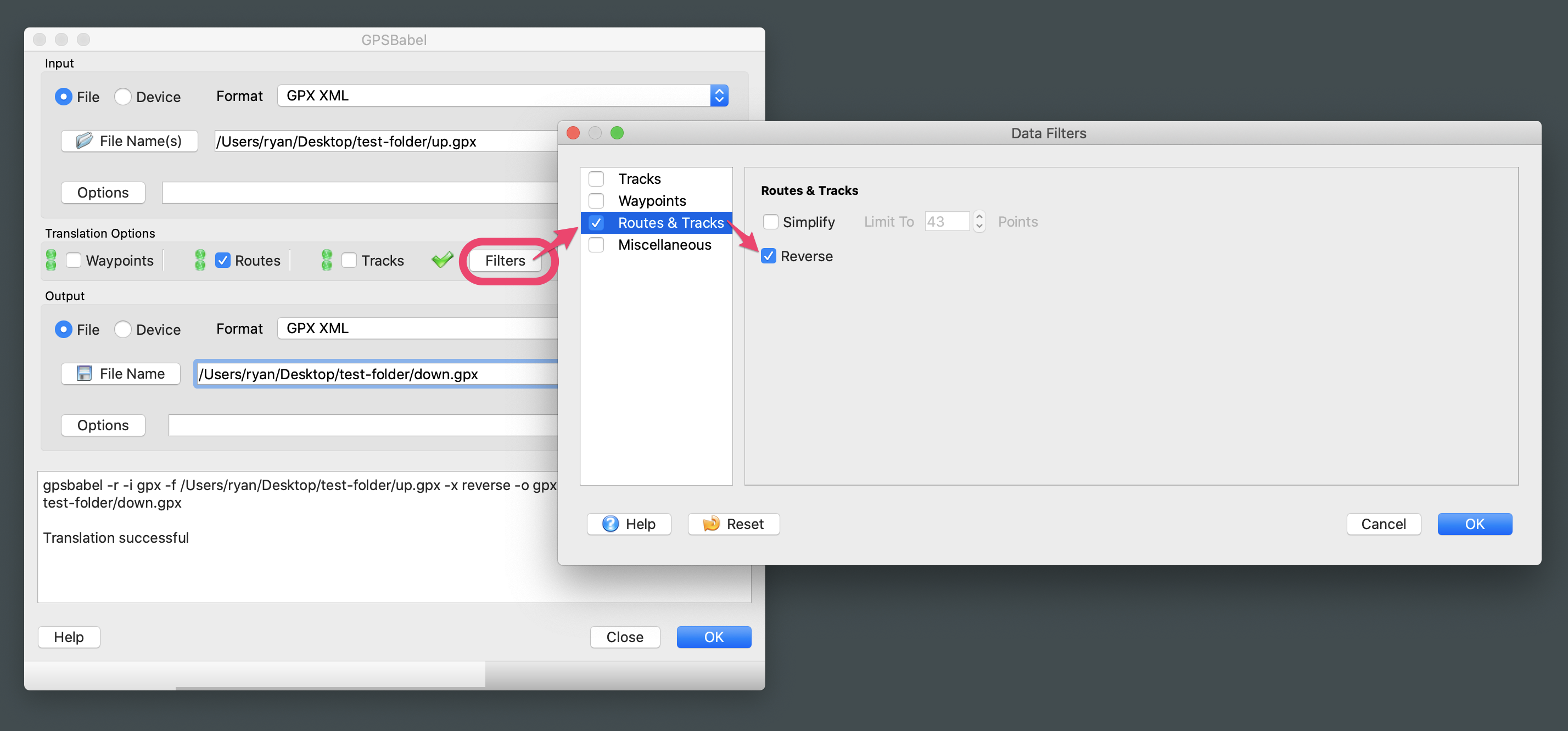
There is not a 'reverse direction' feature in Gaia GPS, but you can export your route as a GPX file and use an editing program like GPSBabel to make changes. Once you've reversed the route, you'll be able to import the new GPX file back into Gaia GPS.
Video Instructions: https://www.dropbox.com/s/pm6vpaoy0tldxrw/web-reverse-route-direction.mov?dl=0- Export Route as GPX file.
- Add file to 'Input'
- Translation Options > check 'Routes'
- Translation Options > Filters > Routes & Tracks > check 'Reverse' > OK
- Add path for 'Output' > OK
- Import new file to gaiagps.com
 1
1
Post is closed for comments.
Comments
1 comment