
IOS Update - Touch
Répondu
Since the last update I can no longer click on waypoints or routes. When I touch my screen it wants to add a new waypoint. It is incredibly frustrating as I want to click the waypoint and see what it is, or navigate to it. I checked settings but don't see any way to change this. Any ideas?
1
-

Hi deboardfam,
Sorry for the confusion. This is a new feature called the tap drawer, which cannot be turned off.
The tap drawer allows you to differentiate between things on the map -- multiple map layers, saved items (tracks, waypoints, etc.), trails, places, and other map icons.
To view the item you are trying to select, follow these steps:- Tap near the waypoint, track, route, or area
- Then pull the drawer up
- Tap on the item in the drawer list
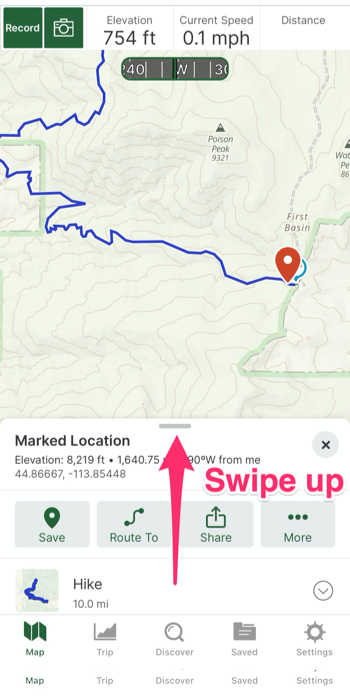
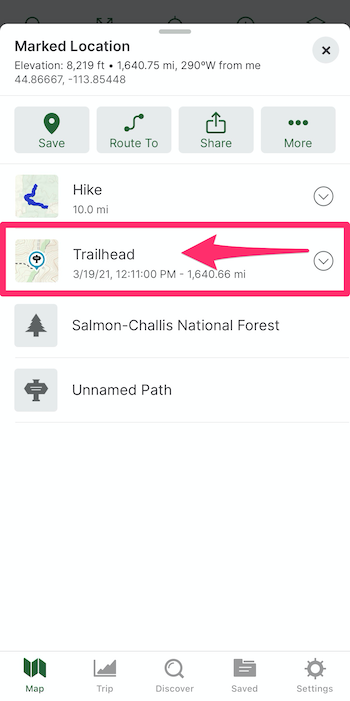
If you have any further questions, please contact Support here.0
Cette publication n’accepte pas de commentaire.
Commentaires
1 commentaire