
Feature suggestions for Adventure Motorcycle/Offroad Carplay

Hello! I just returned from a 3 day Adventure motorcycle tour. My friends and I planned the entire route using Gaia. Some features worked very well, others could use some improvement. Below are some thoughts on improvements to the experience.
App Usability:
Despite downloading Overland Map layers and offline routing for an area significantly larger than the state of Colorado, I was unable to automatically route on 2 of the many tracks. The track were imported via GPX files, then converted to Routes on the web UI and synced to my app afterwards. I received the generic error below on my iOS app (version: 2026.4.3) after downloading the maps and testing offline routing in airplane mode.
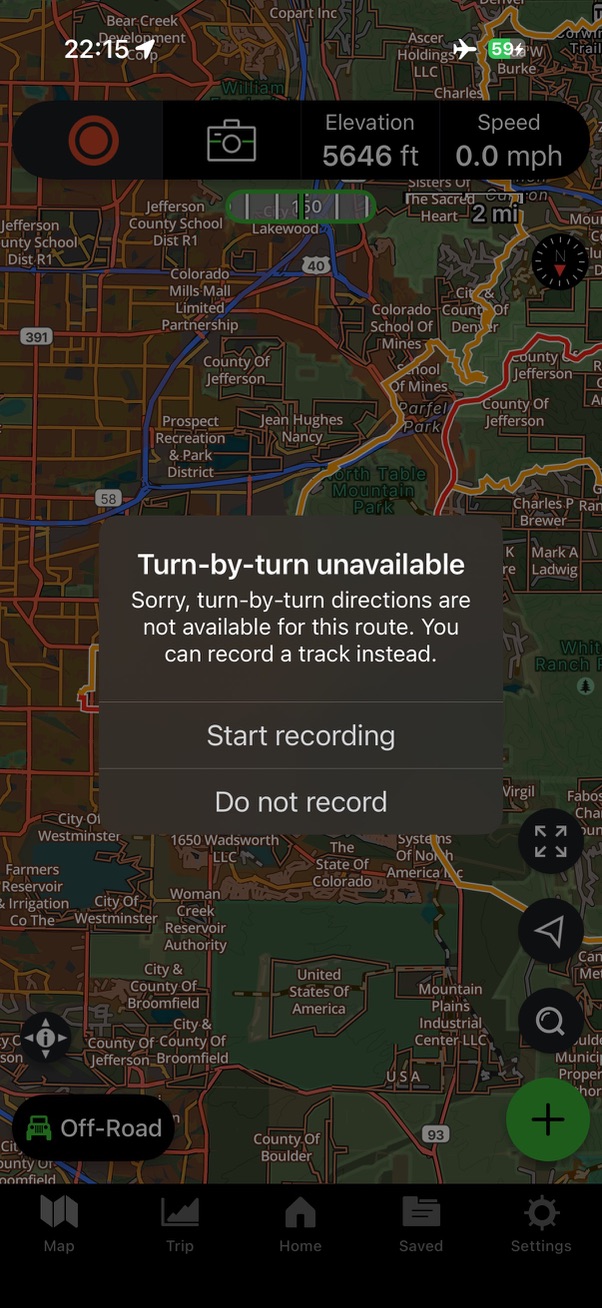
This error message isn't particularly helpful. It doesn't tell me *why* the system could not route in offline mode. I'd suggest adding better feedback to the error popup, so the user has enough information to resolve the problems themselves.
Apple Carplay Display:
I use a Moto specific Apple Carplay head unit on my motorcycle. This allows me to still use my Phone's primary feature, but navigate in a simpler interface that allows me to focus on the road. I've found a couple of bugs, and have a couple of feature requests.
Bugs:
Gaia does not register as a map service like Google Maps and Apple Maps. This makes it impossible to use the default aggregation view on Carplay, which aggregates maps and audio/music into 1 screen. Below are the steps to reproduce.
* Open the Gaia GPS app on the iPhone. Select and track, and select “Guide Me”
* Open Gaia GPS on the Carplay head unit
* Tap the lower left aggregation view icon. I expect Gaia and Spotify to be aggregated on 1 screen. They are not, instead it's Google Maps (which is not open or active), and Spotify
When opening Gaia from Carplay, the map tiles do not render correctly. Only the location icon, tracks, and a blank grey background are rendered. Below are the steps to reproduce.
* Close Gaia on the iPhone
* Open Gaia maps on the Carplay head unit
* The background is grey, with no map tiles.
* Open Gaia on the iPhone, then toggle any map layer (topo or overland). Once you toggle the map layer, the background appears on the Carplay head unit.
Improvements:
Current Location Display:
When using Gaia to route off road, I'm driving down dirt roads which have poor traction, so I'm focusing on the trail, not my head unit. I find the icon centered is unhelpful when using Gaia as the primary navigation source, and “first person” following selected instead of “north up”. It would be great if I could select a configuration option (or it's the default) to move the icon to near the bottom of the screen, not centered, similar to Apple or Google Maps. I don't need to see the track behind me, I've already ridden it. I need to see as much of what's up ahead as possible.
Add Record Track Button:
I think the UI is great at having a simple clear interface. It would be great if there was a red button to record the current track, or the timer showing the track being recorded. Having to start the track recording from the app can be slower, especially if your phone is covered with a screen and is difficult to use touch with.
Allow Pinch to Change Zoom:
There are a `+` and `-` icon on the Caplay display. While this works, it can be a bit clunky compared to other navigation apps. You can already use your finger to pan the map, I suggest adding pinch to allow easy zoom in and out when using device compatible gloves.
Please sign in to leave a comment.
Comments
0 comments