
Remove map clutter while you plan routes.. on Website.
Answered
Is there a simple way to do a temporary turn-off of all of my saved routes and tracks…making the Gaia map (all maps) clutter free again. This would sure help in route planning. For me this would be best on the website…(I need a mouse to get anything digital done) I know this can be done one saved item at a time but I need a bigger brush stroke.
wingryder
0
-

Yep!
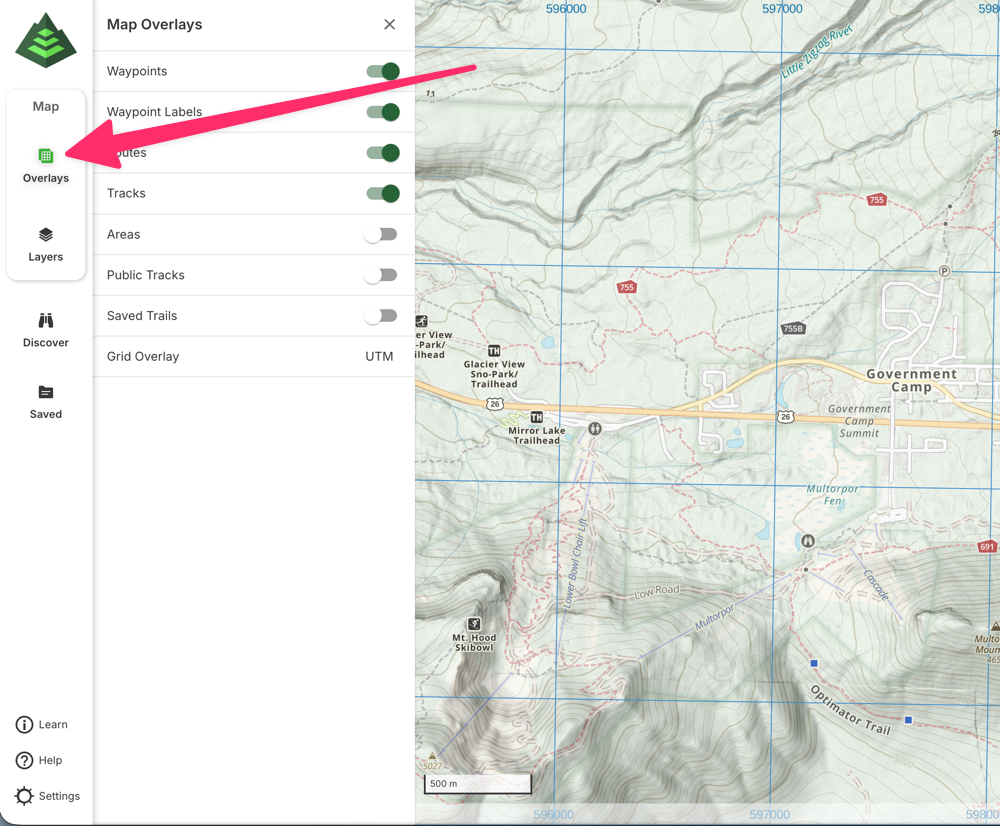
On the web, click the “Overlays” button in the sidebar and then toggle the routes and tracks toggles to hide them all from the map. When you're done planning, just toggle them back on and you're good to go.
 0
0
Please sign in to leave a comment.
Comments
1 comment