
How to save 1 MAP with 20 overlaid routes as a SINGLE PROJECT?
Answered
I haven't had any success getting a clear answer from Gaia customer support for this question. The guy just sent back a short 3 sentence "boilerplate" answer, that shows me my questions were not even read! Geesh. So let's give the forum a shot . . .
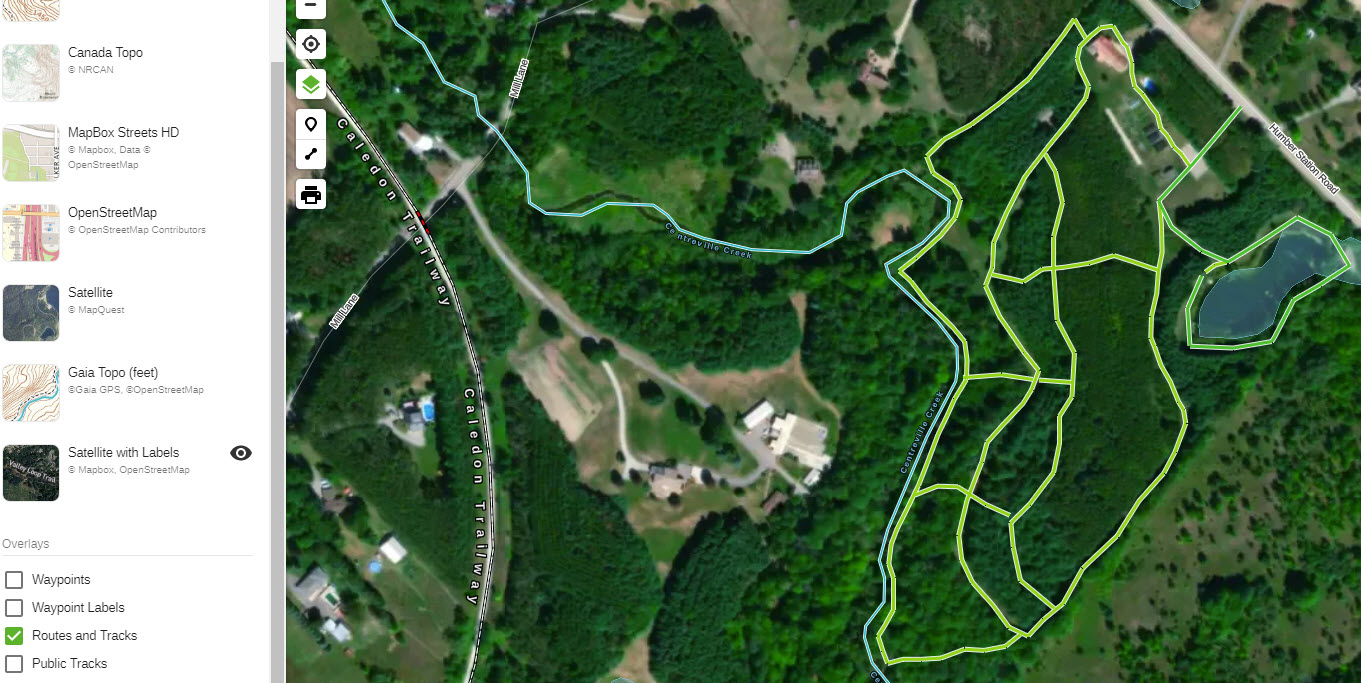
I already have a satellite view map for an area I have visited, and have used the website to create around 20 short trail routes llayered on top of that view. (See attached screen shot)
How do I SAVE this WEBSITE "project" (Windows 10 using Chrome browser) for future use on the trail when I go back to the area, on my Android tablet?
I don't see any "save" button or anything like that. Neither do I see any directions WHERE or HOW to save the whole "project" as a single entity containing routes and the map all in one.
So how do I save this project, then how do I retrieve it for use when I returned to the area for more hiking?
Phrased differently, I don't know where or how to "store" this project in the Gaia system.
Even though I have created the map, for example when I click on the drop-down box for any of the options (any of them) except for routes, I see nothing. In other words, when I click on the map drop-down option, it shows nothing there. I don't understand this filing/saving system with Gaia. so kind explain to me..
In addition, I would like to backup all my work so in case something gets deleted on the website, I will not have wasted hours of my time and can easily re-created. So, to be specific, I have the satellite view map already visible on Gaia with my 20 short routes overlaid on it. How do I (if I'm using the correct word) export everything including the satellite view map and my routes so I can save them safely off-line or as a backup file to be re-created later?
I appreciate your time explaining
-

@Jim in Toronto, Ontario
It sounds like we were able to get your questions sorted via email. Feel free to respond to us directly if you need anything else.-1
Post is closed for comments.
Comments
1 comment