
Can not edit track because previous track overlays the current one

Reporting a problem using gaiagps. I was planning a hike and was mapping out some potential routes. Created one track, then created another track, using about half the trails from the first track. When I try to edit the first track, both tracks show and I can not edit the first (or second) where the trails overlap. It's as if the buffers used for edit are not properly initialized.
When I select the track to edit, I get what I expect with the following
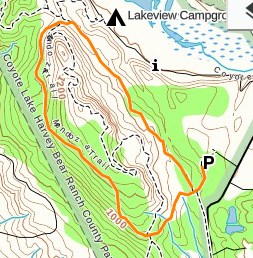
However, when I click on "Edit", I get the following showing the track I previously edited.
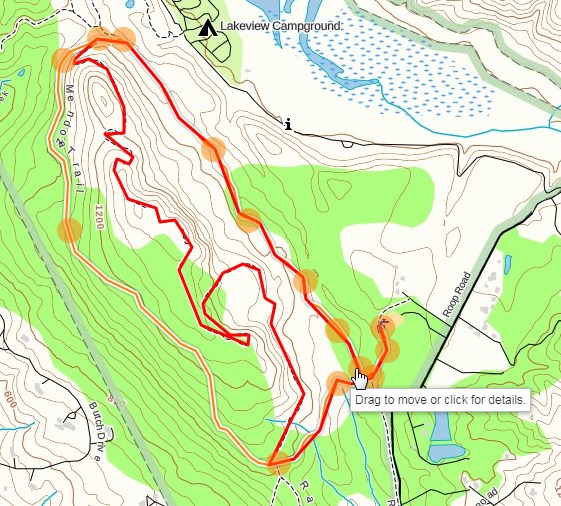
I tried logging out and logging back in again. Anyways, I could not edit my track where it overlapped with the track I previously edited.
-

@majesticoak
Thanks for posting.
Deselecting the My Tracks overlay within the Overlays menu will hide your saved routes and tracks so you can just view the route you want to edit. Sorry for the confusion.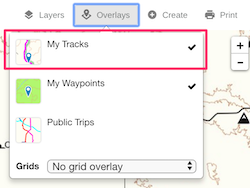 0
0
Please sign in to leave a comment.
Comments
1 comment