
Problem with Gaiagps.com sending map to app

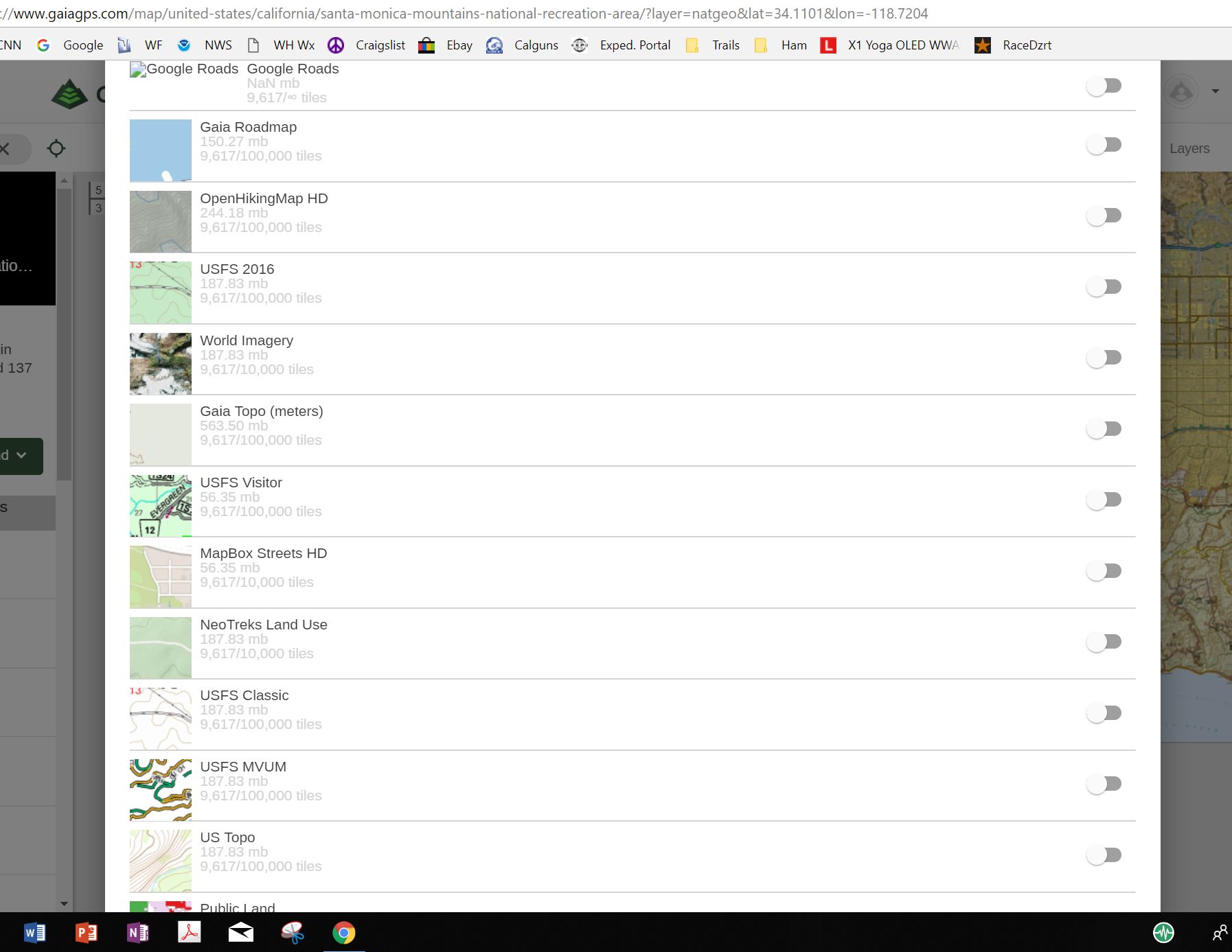
On Gaiagps.com I seached for a location. In this case i did San Bernardino Natl Forest. Gaiagps found that location. I then choose "send to app" as I have done numerous times before. A window opens with the numerous map layer options available to me. However I am unable to scroll up and down in the list to select which layer I want and then to ultimately send to the app. The selection window screen is locked. Won't go up or down. This seems to be a new problem. Anyone else experiencing this?
I have tried on Chrome Version 67.0.3396.87 (Official Build) (64-bit) and Microsoft Edge. Prior to yesterday I have used Chrome succesfuly MANY times.
Below is a photo of what is shown on screen. That list is not moveable up and down.
-

I am having the exact same problem. Came to the discussion board to report this, but you've described the same thing I ran into. Cannot scroll, see the full menu, or send to app.
0 -

@rescuejg & @dsrobison
Thanks for posting. I have created a bug report for the is and I'm sorry for the inconvenience this has caused.
In the meantime, opening the Layers menu and reducing the number of map sources activated will let you view field to rename the area.0
Please sign in to leave a comment.
Comments
2 comments