
(SOLVED) SYNC still not working for iOS after 2024.8 install

Stopped syncing anything from iPhone after install of 2024.7.1. Got the 2024.8 release and thought, "They must have fixed the Sync Failure bug. Nope. And now I also got "An unknown error occurred. Reload." Please fix this basic functionality.
-

Same for me.
0 -
I've used Gaia for over 6 years. Sync worked fine until the update forcing Outside logins. I logged in to Outside on the computer, and I think on the iPhone. Nothing syncs and the sync icon shows with the two arrows in a circle and an exclamation point. Nothing changed on my end and nothing is being done differently. I've seen very little about this, though I can't be the only one. Thank you for chiming in "Same for me". I've read not to log out of the phone or one will lose the un-synced tracks.
Are others having this problem? It's a big deal if data (mainly tracks) are not being sync'd to the website.
1 -

Same dir me.
0 -

Same for me
0 -
Ok - I mat have fixed syncing on my iPhone - went to Settings > Account > Refresh Authentication (which doesn't clear locate data) and this forced a new login to Outside. After this the sync completed successfully (within a few minutes) and also the "Device Connection Hub" option now works (before it just showed a white blank window - appears to be an embedded browser window)
HTH
1 -
Thanks, works for me as well.
0 -
stevenjparish - Thank you so much. Fixed the problem for me, too. I appreciate you taking the time to share the solution you found.
0 -

This worked! Thanks a million.
0 -

same problem for me ...
My tracks still present onthe Iphone and Ipad but not in web application
please hlep
0 -

Yes. The introduction of Outside, a platform nobody needs or wants, there has been nothing but problems. GaiaGPS isn't working as it used to.
Sync that goes on for hours and never finishes. Download of maps that fail. No more download of photos to Gallery. I have been depending on GaiaGPS to keep records of my hikes and photos, but that's not possible anymore.
0 -
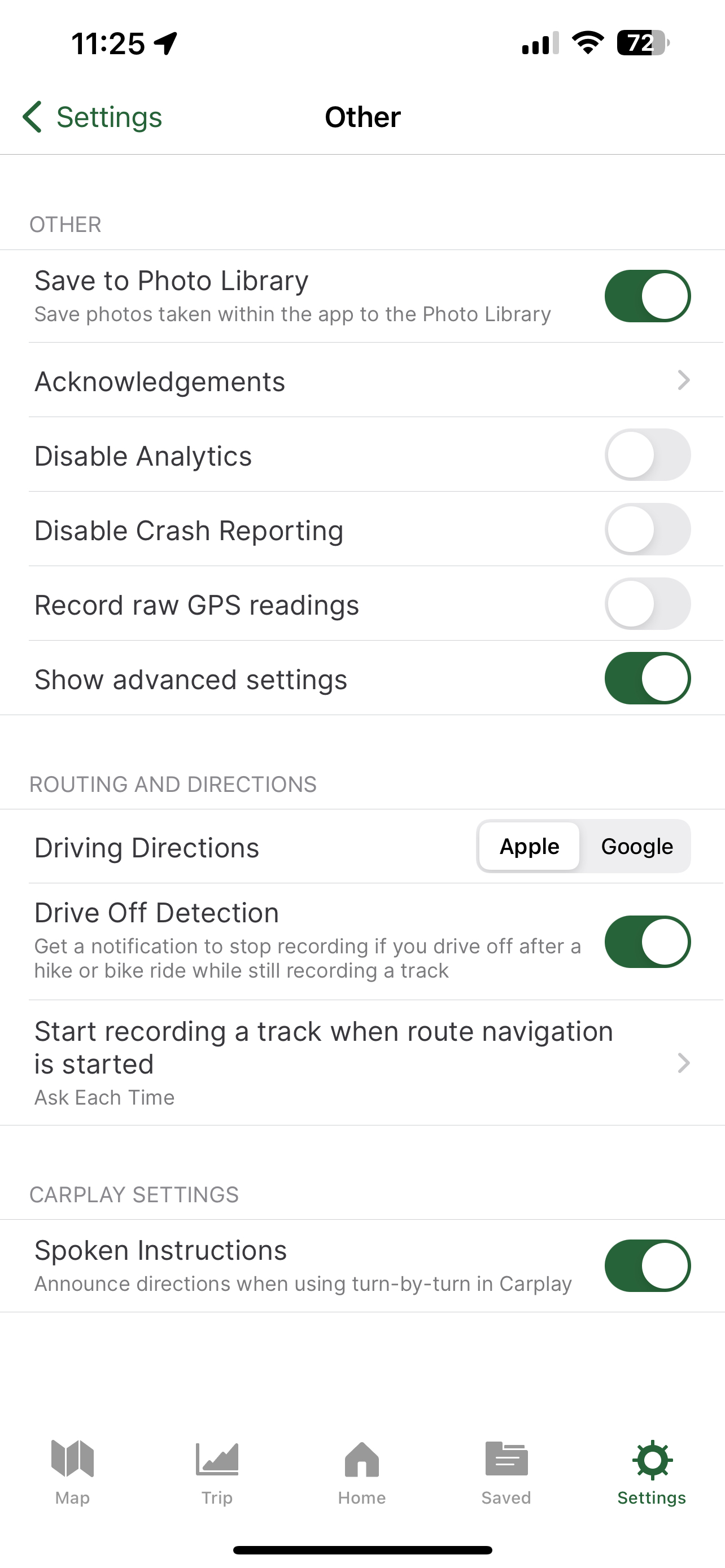
do you have the option enabled on the app settings > other?
 0
0 -
On an Android phone the setting is Save Photos to Gallery and yes, it's on.
Until August, all photos taken on a recorded hike were there. Easy to download from /Internal Storage/Pictures/GaiaGPS
Since August, photos are not in Gallery and are not in /Internal Storage/Pictures/GaiaGPS
They are nowhere to be found on my phone.0 -
I just checked recent ride and the photos appear to have been saved on my camera roll on the iPhone - so perhaps its an android issue (I have been relying on the saving of the photos taken via the Gaia app as I like to use the location on the map as a clue as to where to find certain landmarks - but also be able to have the photos available outside of Gaia). Was a little worried from your post that this feature had been removed - but looks ok on my iPhone.
0 -
That feature is essential for me, as I need to look back at my hikes and the pictures I took at various points and I need to be able to save them outside of Gaia. But maybe that feature is only gone from Android phones.
0 -

Thanks stephenjparish! Your fix: "Settings > Account > Refresh Authentication (which doesn't clear locate data) and this forced a new login to Outside. After this the sync completed successfully " solved my syncing problem.
0
Please sign in to leave a comment.
Comments
15 comments