
Is Gaia GPS experiencing capacity issues?
Answered
I recently created an account on Gaia with the intent of purchasing a premium membership. Before paying though, I decided to try out the mobile and web clients. In two days of browsing around on the web client I have noticed that a significant number of map tiles fail to load. I probably have a pretty consistent failure rate of about 20%.
When I dig into why those tiles don't load, it's due to a 502 Bad Gateway which usually suggests that the backend system is either experiencing trouble or is too busy to service all the requests. Given that this problem has persisted for a couple of days now, it seems likely that Gaia doesn't have sufficient capacity to support their current set of customers. If that's the case, I'd rather not signup for a year.
So I'm wondering if others are experiencing these same issues? Also are the capacity issues a common problem with Gaia?
-

What map are you viewing, and can you provide a sample set of coordinates for one of the failing tiles?
A lot of our maps are available via 3rd parties, only a small handful do we host on our own servers.
0 -
Hi Ashli,
I'm viewing the current URL at the moment:
https://www.gaiagps.com/map/?layer=GaiaTopoRasterFeet&lat=36.0194&lon=-82.3391&zoom=13
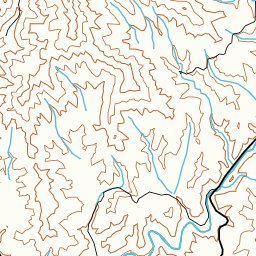
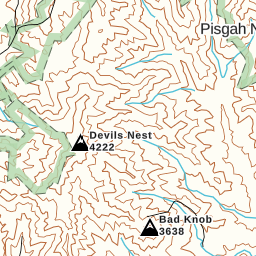
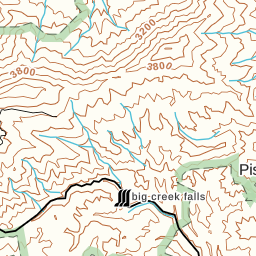
This is what I'm seeing:

Here are URLs to some of the map tiles that failed with 502:
https://gaiavectortilerendering.global.ssl.fastly.net/feet-raster/13/2224/3215.png
https://gaiavectortilerendering.global.ssl.fastly.net/feet-raster/13/2224/3214.png
https://gaiavectortilerendering.global.ssl.fastly.net/feet-raster/13/2221/3215.png
As you can see I'm using the Gaia Topo layer and I'm trying to zoom in on the area around the Pisgah National Forest in North Carolina. The tile errors though have been consistent for pretty much any place I've tried to zoom in around North Carolina.
0 -

I experienced the exact same issue yesterday when creating a route around the South Carolina/North Carolina border along the Palmetto Trail. I always deal with a missing tile here or there. But yesterday was especially bad.
0 -
Hi again,
Thanks so much for the details.
I ran this issue by our lead developer - it turns out he is aware of the issue and working on it. He says it is indeed a capacity issue, but a bit of a complex one.
If you switched to a different map for now, the tiles should load fine - this seems limited to Gaia Topo.
0 -
Thank you Ashli. Looks like the issue has been fixed now.
0 -

I still experience this issue with Gaia topo. I'm not seeing 502s on the missing tiles, the connections just stall indefinitely. This gives the same result in the UI: missing tiles. If I pan around and back to the missing tiles, the browser opens a new connection to fetch that tile and ultimately loads it. Gaia has behaved this way since I started using it a few years ago, and I'm sure it's capacity related. I have no problems with maps with tiles that come from non-Gaia servers (like mapbox).
Please fix this for paying customers!
0 -
@dsmith I'm sorry you're still having trouble with that. I'm I correct in assuming that this is on gaiagps.com and not in the app?
I'd like to get some more information if you don't mind. The next time this happens, can you send a note to support@gaiagps.com and copy/paste the URL from the map page? Feel free to ask for Ashli so it gets passed to me.
0 -
I see this on all my computers when using gaiagps.com, across a variety of platforms, which makes me wonder what QA at Gaia looks like. But sure, I just sent an email with a bunch of information and screenshots showing the problem. Subject is "Information for Ashli".
0
Post is closed for comments.
Comments
8 comments