
High resolution satellite imagery?

Hi! Two years ago I used Gaia for satellite imagery and the resolution was great. I had no problems. I could zoom in and see individual trees and rocks over roughly 2' in size.
Now it's all blurry when zoomed close into the ground. VERY blurry. The fine detail is gone. It looks bad. What changed? This week I registered and paid the fee to get member access and tried the MapBox Aerial maps and while the resolution is higher, the ground is covered in snow in the higher elevations in Colorado making the MapBox imagery rather useless.
Please I would like to use the same satellite imagery that worked perfectly in 2015 & 2016. Thank you in advance.
-

Hi Jonathan,
I'm not sure which map you had access to previously, but I can confirm that our map options have changed over the years, usually due to licensing issues. A few notes:
1) I definitely recommend the MapBox Satellite Imagery over the MapQuest Imagery.
2) If you send me coordinates to a specific area in MapBox that seems out of date or has poor coverage, I can request updated imagery from them, but no guarantees that they'll update it.
3) Lastly, you can import nearly any map you find on the internet yourself
- Most maps are Tile Map Services (TMS).
- Here are instructions for importing a TMS source
- Please check the Terms of Service for any map service before importing into Gaia GPS, to ensure your use is compliant.
0 -

Yeah I also have a suspicion that satellite imagery is getting worse. I have moved to using the premium ESRI and it's not very good.
Let's compare
https://www.gaiagps.com/map/?layer=SatelliteWithLabelsContoursFeet&lat=34.1338&lon=-118.3918&zoom=20
with Google Maps
https://www.google.com/maps/@34.1339431,-118.3920423,73m/data=!3m1!1e3
See the difference.
3 -

Hi there,
I just figured out how to match satellite imagery from a google maps in Gaia. I just had to bump the zoom to work between 18 and 19 and I only download small areas.
Best
-1 -

So mcbbcm, how did you do this zoom bumping? I have always had problems with good zoom resolution in GAIAGPS. I always have to have my Google Map app open to zoom in.
1 -
Hi brewskieman,
It is easy how easy I forget things as I'm getting older but I found the link where you can see the Google and Gaia integration and around 1 minutes 31 seconds you can see the zoom levels:
https://www.youtube.com/watch?v=O6hZJtzwLic
Obviously, if you are going to bump the zoom level from 16 to 18 or 19, which is the highest level of details, I would constrain the area that you want that level of detail for, because the highest zoom, the highest the detail and the highest of data, so it's easy to go overboard with this one.
I hope it helps,
Miquel
1 -

I had the same issue and I discovered that I was only at 16 zoom level the other day when downloading. Took me a while to figure out why they were not clear and I realized I had 3 more zoom levels to go. Slid it over and it looked good when downloading!
1 -

Why is the Satellite resolutions so bad now? I used to be able to see roads, now I can't zoom enough to see roads at all.
1 -

@allterrainfamily
This could be for many reasons. If you'd like to reach out to the support team, we'd be happy to help.
Click the Help widget in the corner to send us a message. Be sure to include the map source and area you're viewing.1 -

Please redirect if this issue has already been solved but Google maps and other sattalite maps seem to have gotten worse and worse. Blury and hard to see. Is this just my problem?
1 -
@BRAP_UP,
Unfortunately, Google no longer allows its map sources to be used by third-party applications and downloaded for offline use. Sorry about that!
1 -

Its seems that all the satellite imagery has gone to crap is there and advice for this im in utah and have just about given up on gaia at this point..
1 -

@Cory
You may find higher resolution imagery on the World Imagery layer.
Follow these steps to add this layer to your layers list.- Add and Manage Map Sources in Android
- Add and Manage Map Sources in iOS
- Add and Manage Map Sources on gaiagps.com
If you have any further questions, please contact Support here.1 -

@jim, have you gotten rid of that source too?
Mapbox and mapquest are low res when looking at high mag.
1 -

I see Gaia adding new maps and features all the time, which are great to have. However, I keep coming back the Satellite imagery being poorer quality than Google Maps or other similar online options. Is there anyway we could put in our votes to prioritize better satellite imagery over other niche maps? Thanks!
3 -

Agree! Just compared Gaia satellite imagery of a recent campsite off of the JMT with the imagery from Garmin and Google. On Gaia the trees are blurry, you can't see the JMT, and you can't clearly see the site where I camped. On both Garmin and Google you can easily make out the trail and the ledges where I camped (looks like they use the same source imagery). I could have really used that higher resolution satellite imagery during some off-trail sections I hiked.
I get an email almost every week about some new Map Gaia has added. How 'bout you focus on improving the core satellite imagery that is so important to so many of your users instead of adding yet more new maps that only niche user groups care about? That would be extremely appreciated.
3 -
I agree I'm over gaia ill be switching to on x offroad unless they actually add a usable satellite map its ridiculous.
2 -
BTW, I tried all of the available Gaia satellite/overhead imagery layers: Satellite/Mapbox, World Imagery/ESRI, FreshSat, USDA Aerial, etc. None are as good as the source imagery that Garmin and Google provide.
3 -
If it an issue of cost, perhaps, there are some options that could be implemented to allow display of better resolution at greater zoom. Along the lines of what has been said above, frequency which I'm using Gaia for for a best resolution satellite maps far exceeds the number of times I'm looking for other atypical features/layers. I would wager this reflects other common users needs/desires, as well.
2 -

Just a year ago my wife and I were off trail between Capital Reef and the Escalante River, using Gaia satellite or aerial photo layers, and they were great, as sharp as Google Earth. Now, they are not. Come on, Gaia!!!
2 -

If Gaia does't add crisp clear satellite imagery in the next 30 days I'm cancelling my membership and switching to On X Offroad. You should all join me. Makes zero sense that a company this size, taking this much of our money has not paid to license some non-blurry images.
3 -
The user experience on Gaia either web or app really sucks. If I have to wail 30 seconds for the maps to show anything, it's not worth it. Gazzatteers have all the same roads.
-M
1 -

100% agree, Gaia Sat images are TERRIBLE. I'm about done, you guys have plenty of competition these days get it together please. I don't want to move but I'm running out of patience.
2 -
Two years after I posted my comments... no response from GAIA... satellite imagery is still inferior to Google Maps and Garmin. Come on, GAIA! Why do you have 254 US Hunting Overlays, but your satellite imagery - WHICH IS IMPORTANT TO EVERYONE - is still inferior? I really love all of the other features Gaia provides, but the inferior satellite imagery is a deal breaker. Time to switch apps.
3 -

You're right on track about inferior to google maps and garmin. What is the problem?
2 -

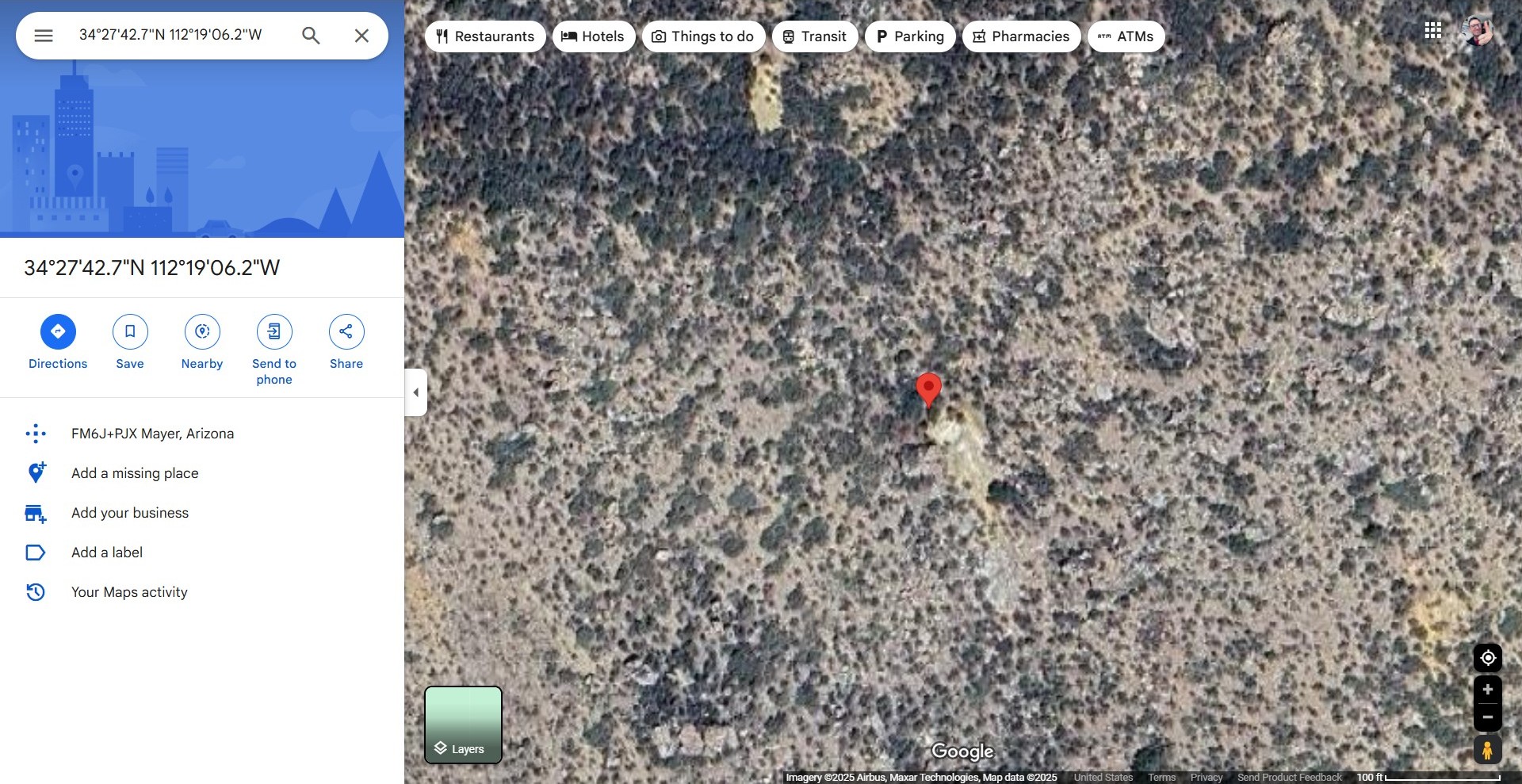
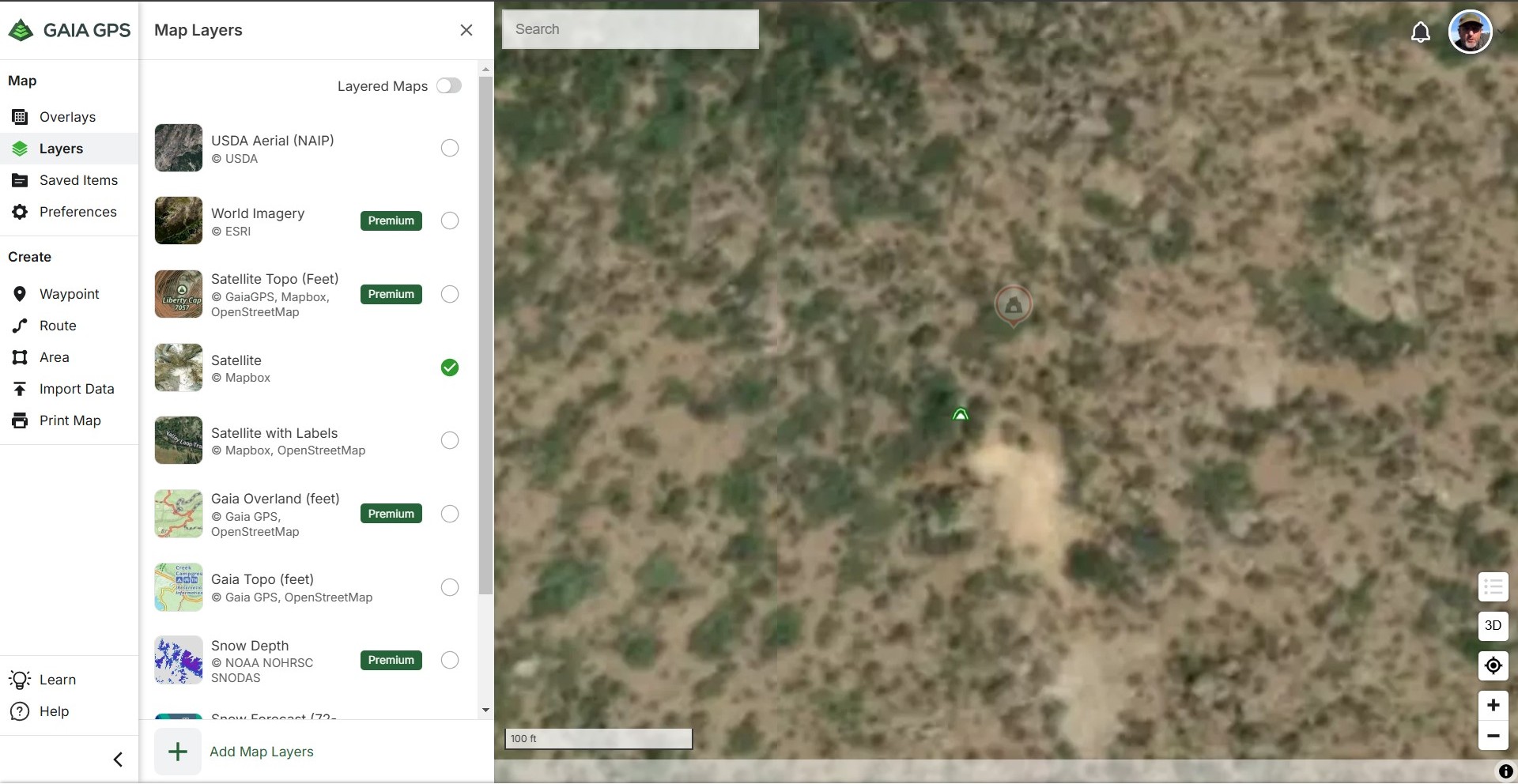
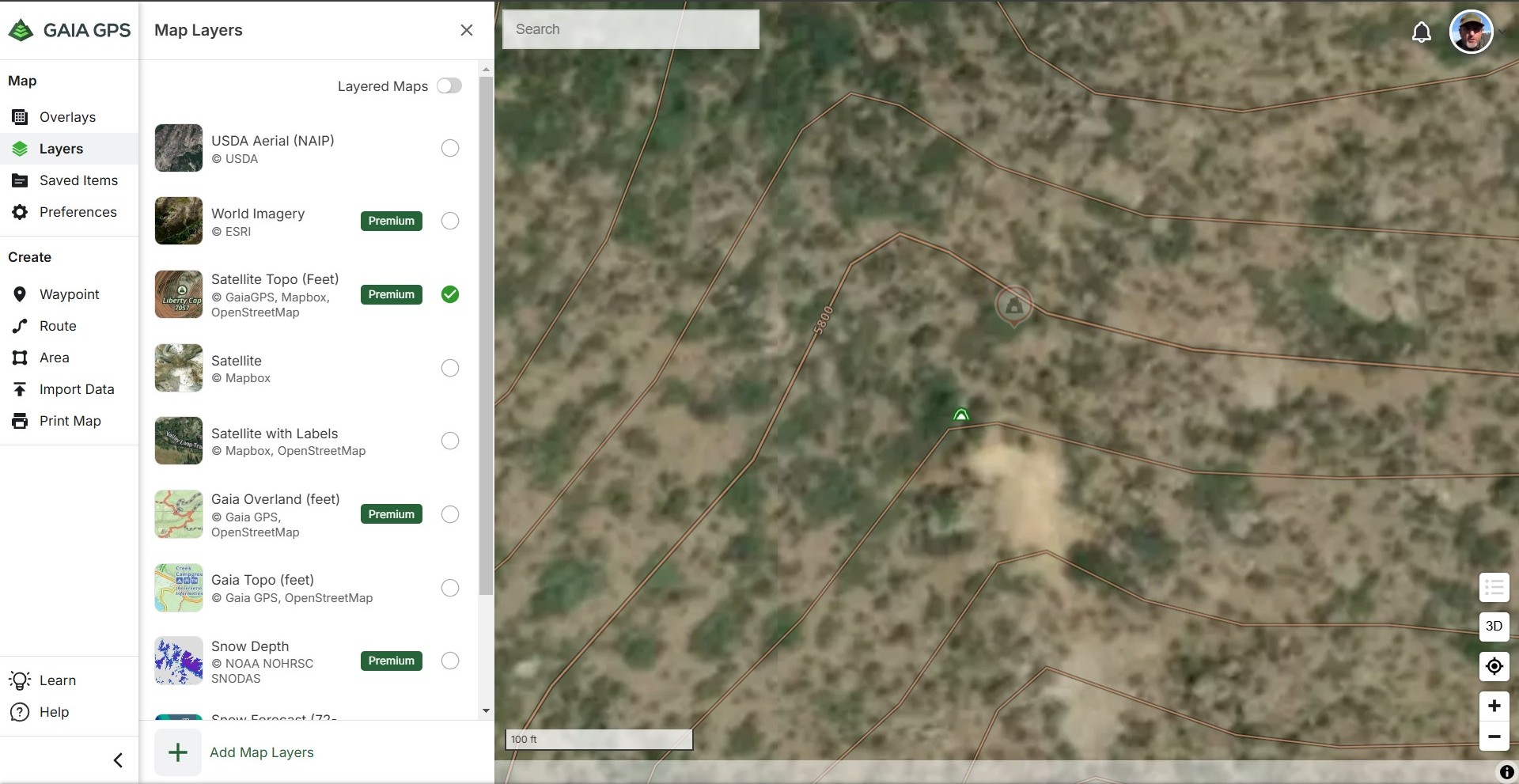
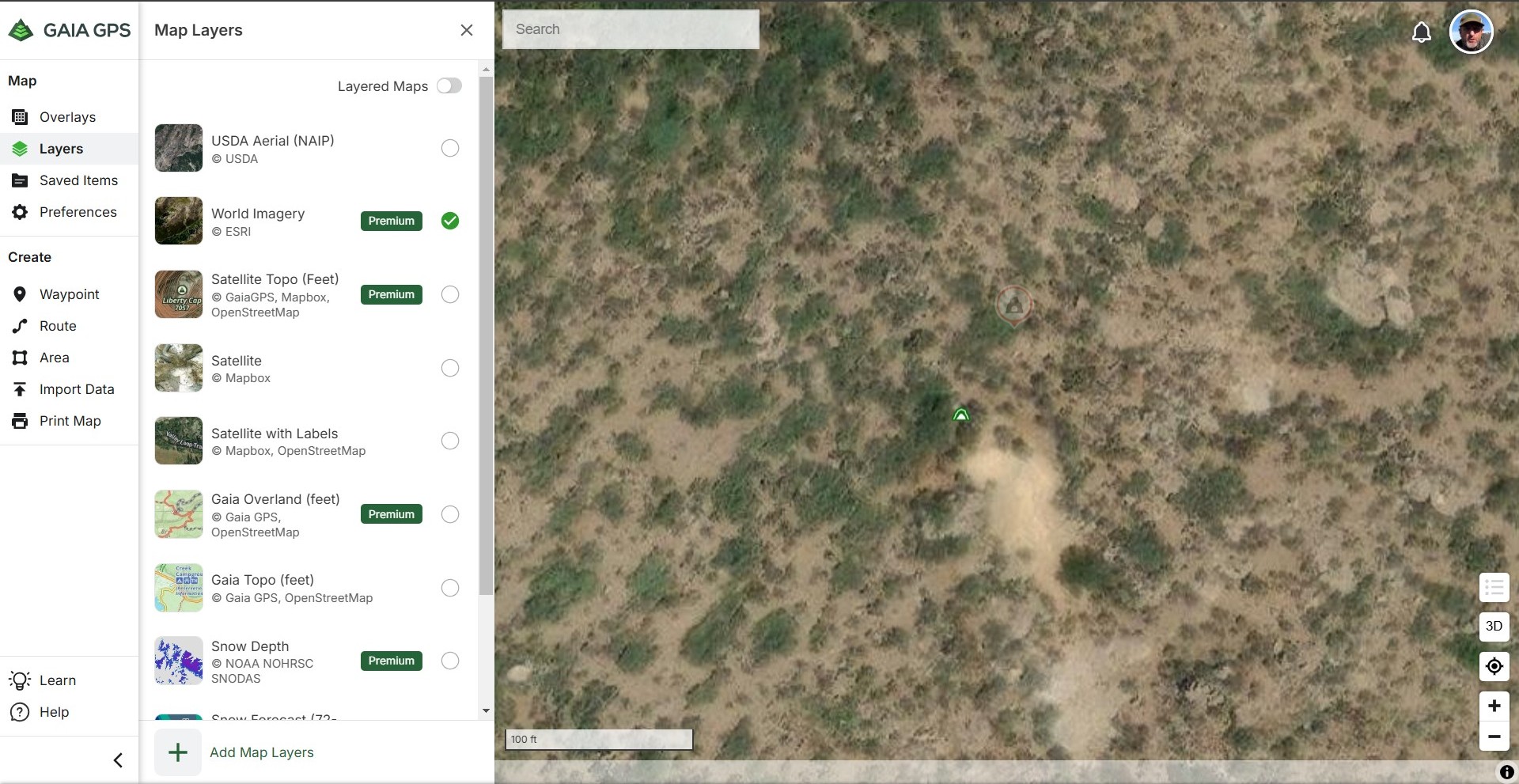
Even with a paid subscription to GAIA, the satellite imagery is not as detailed as Google Maps and Google Earth. After testing and comparing screenshots at the same zoom level, GAIA's world imagery is the closest match but still lacks detail. Considering the subscription cost, it doesn't seem worth it.
Better satellite layers would be great, especially for saving for offline viewing and especially since we're paying a fee!
Please consider this and listen to your members!
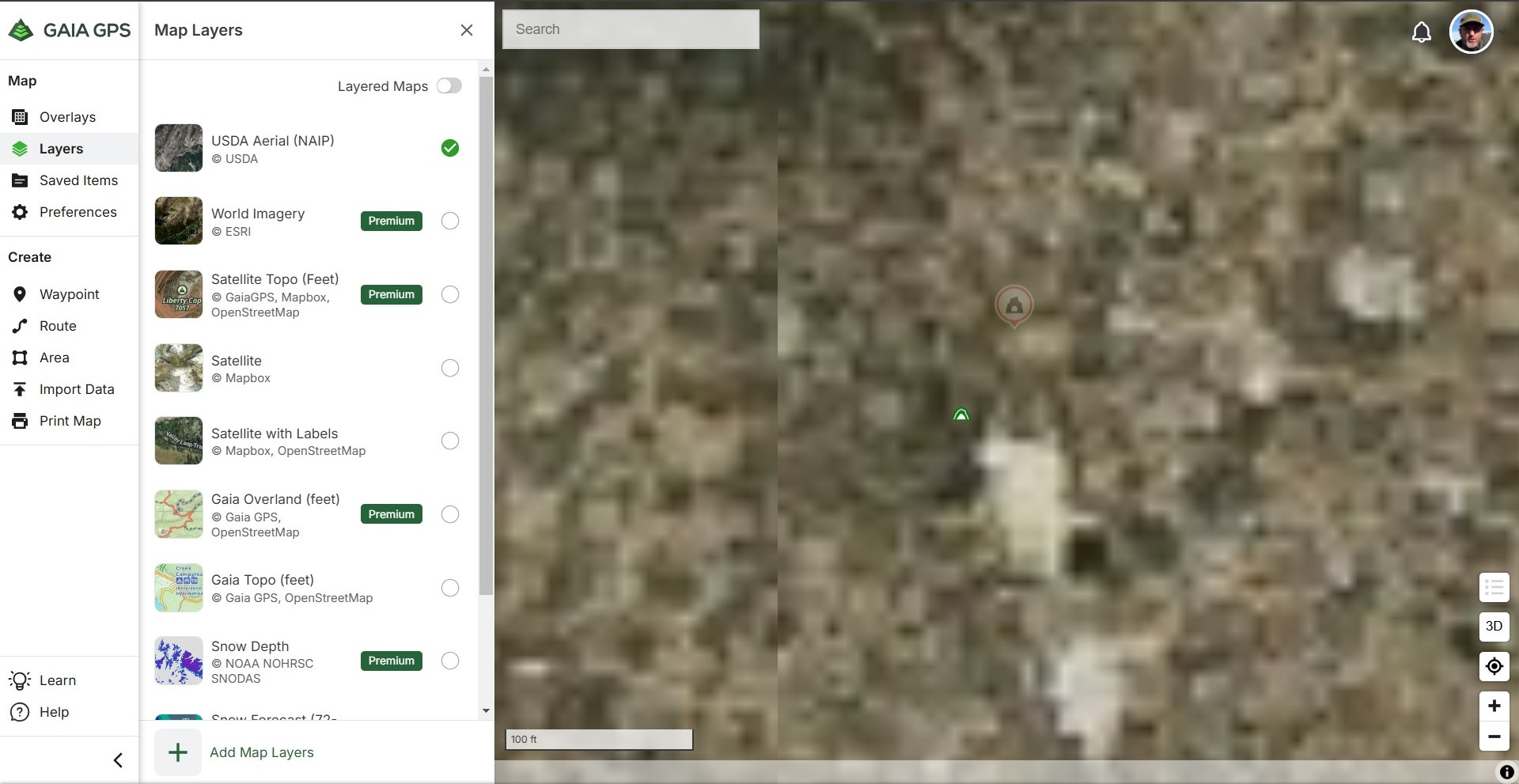
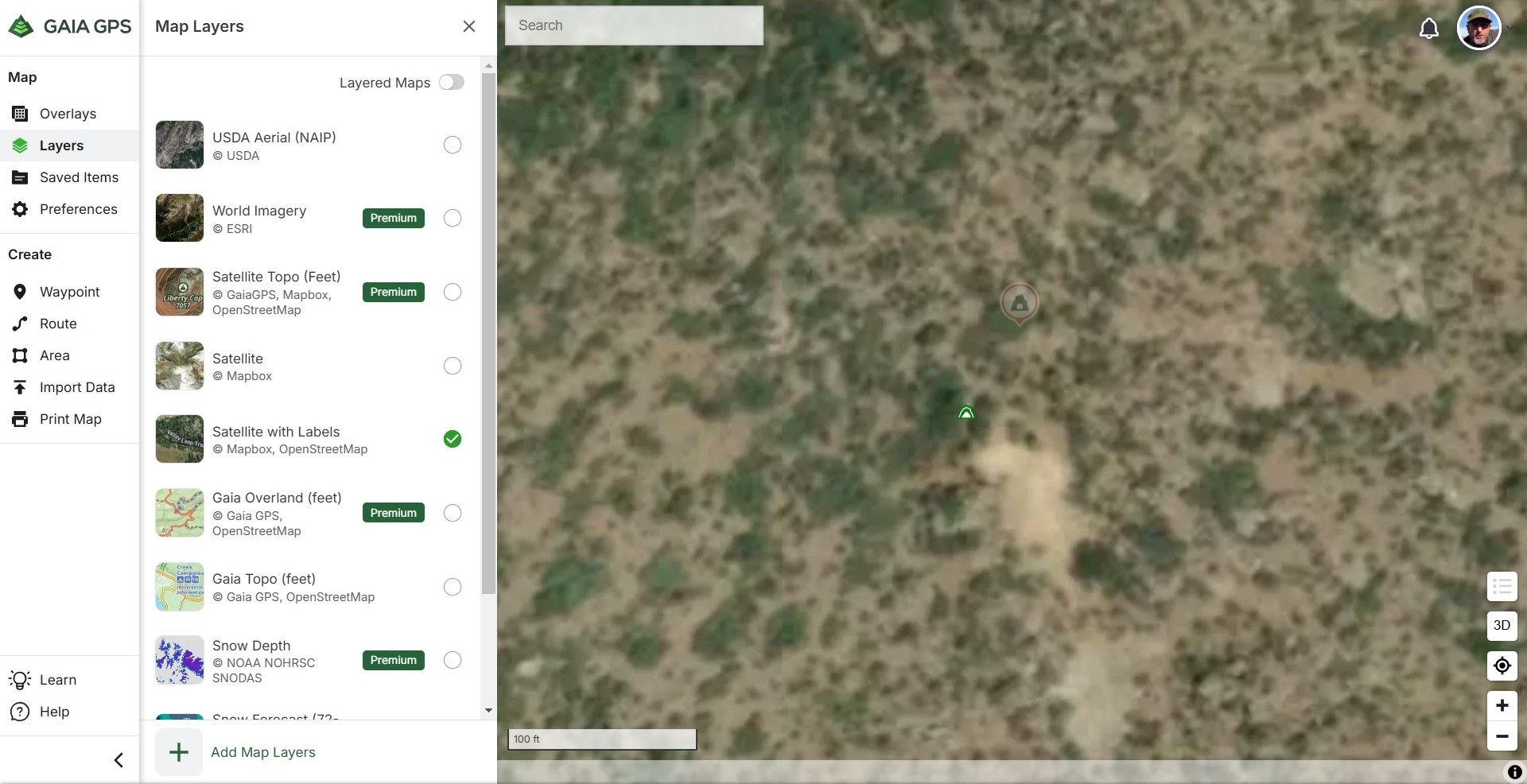
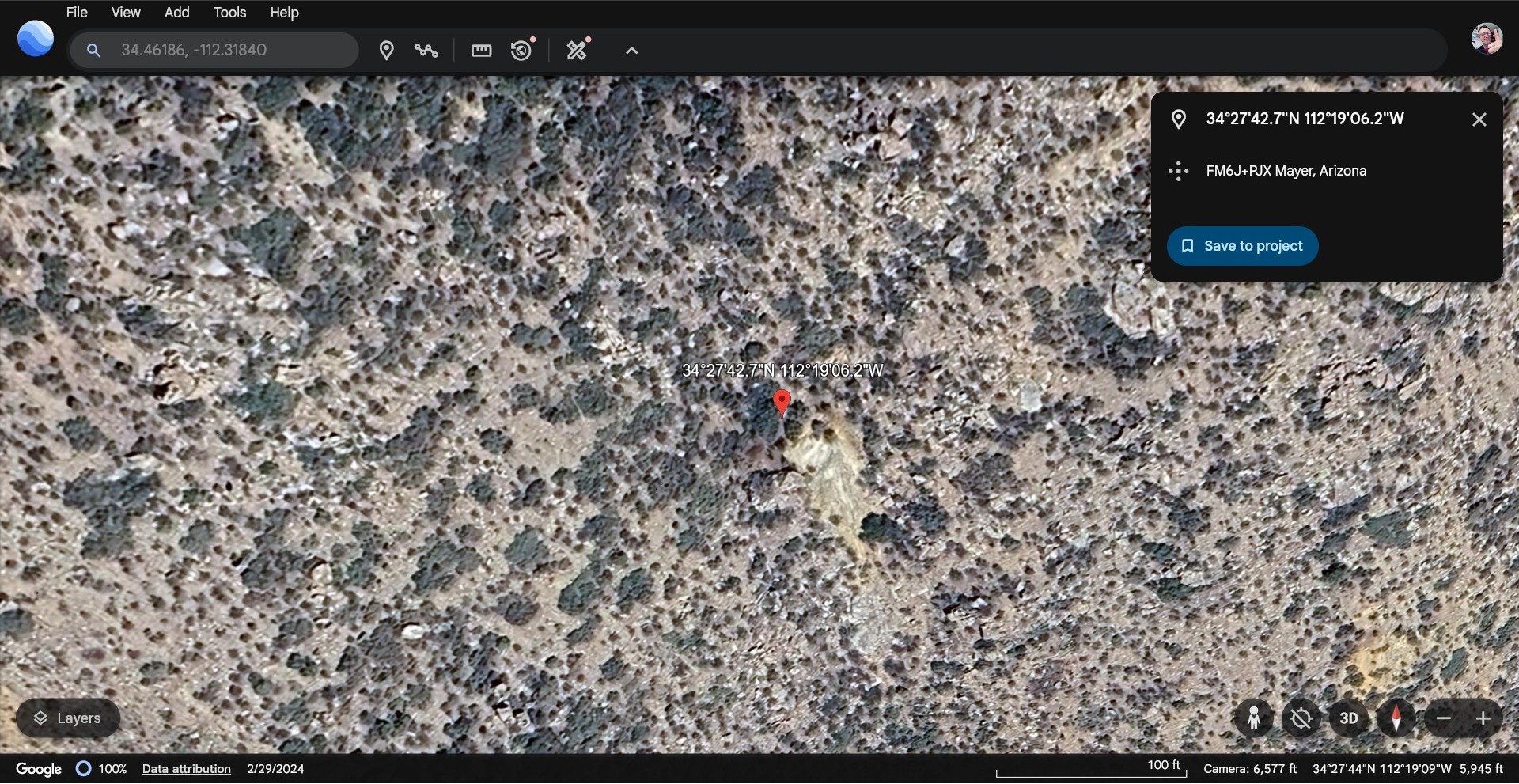 1
1
Please sign in to leave a comment.
Comments
25 comments