
Stubborn waypoints

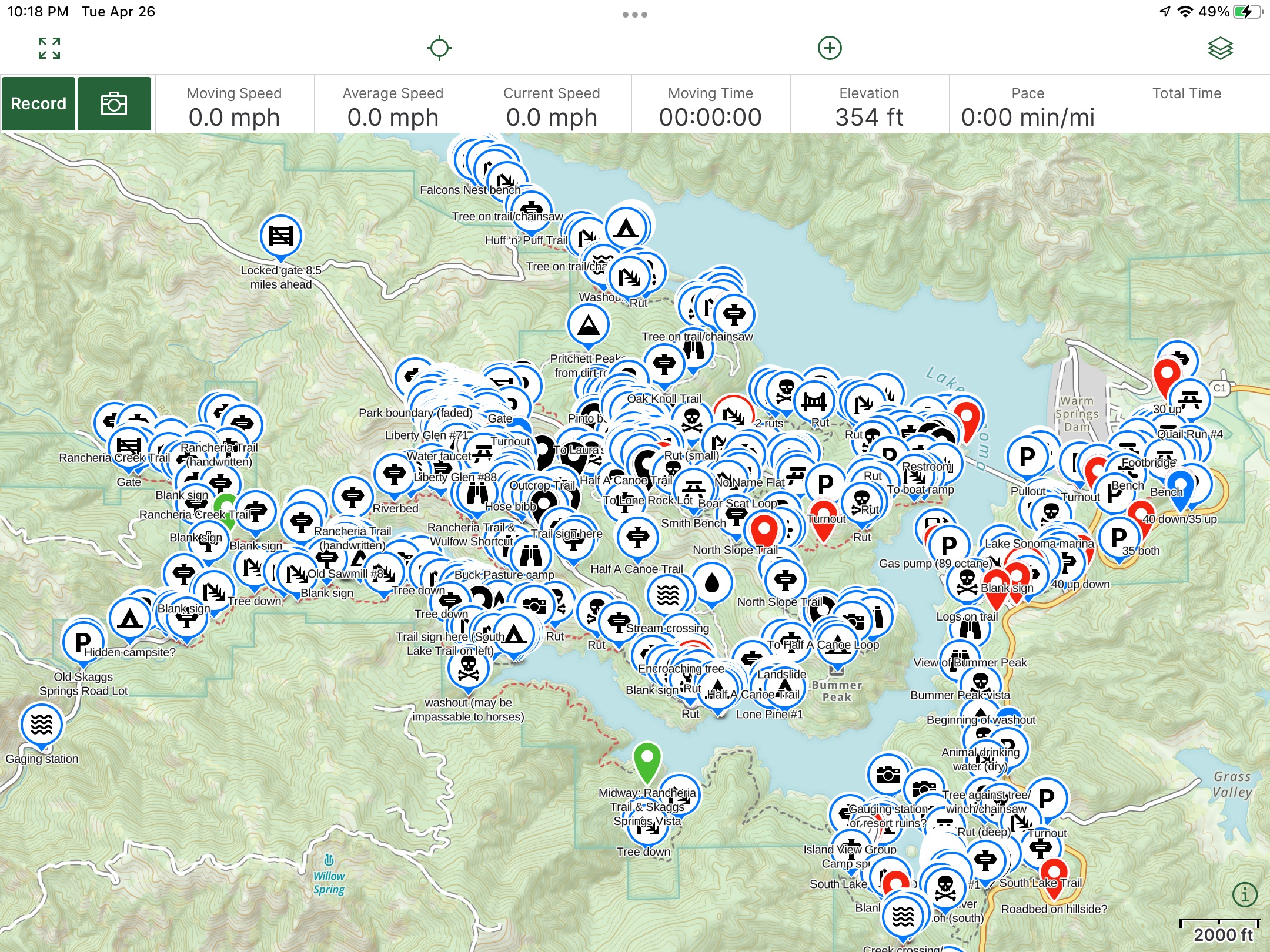
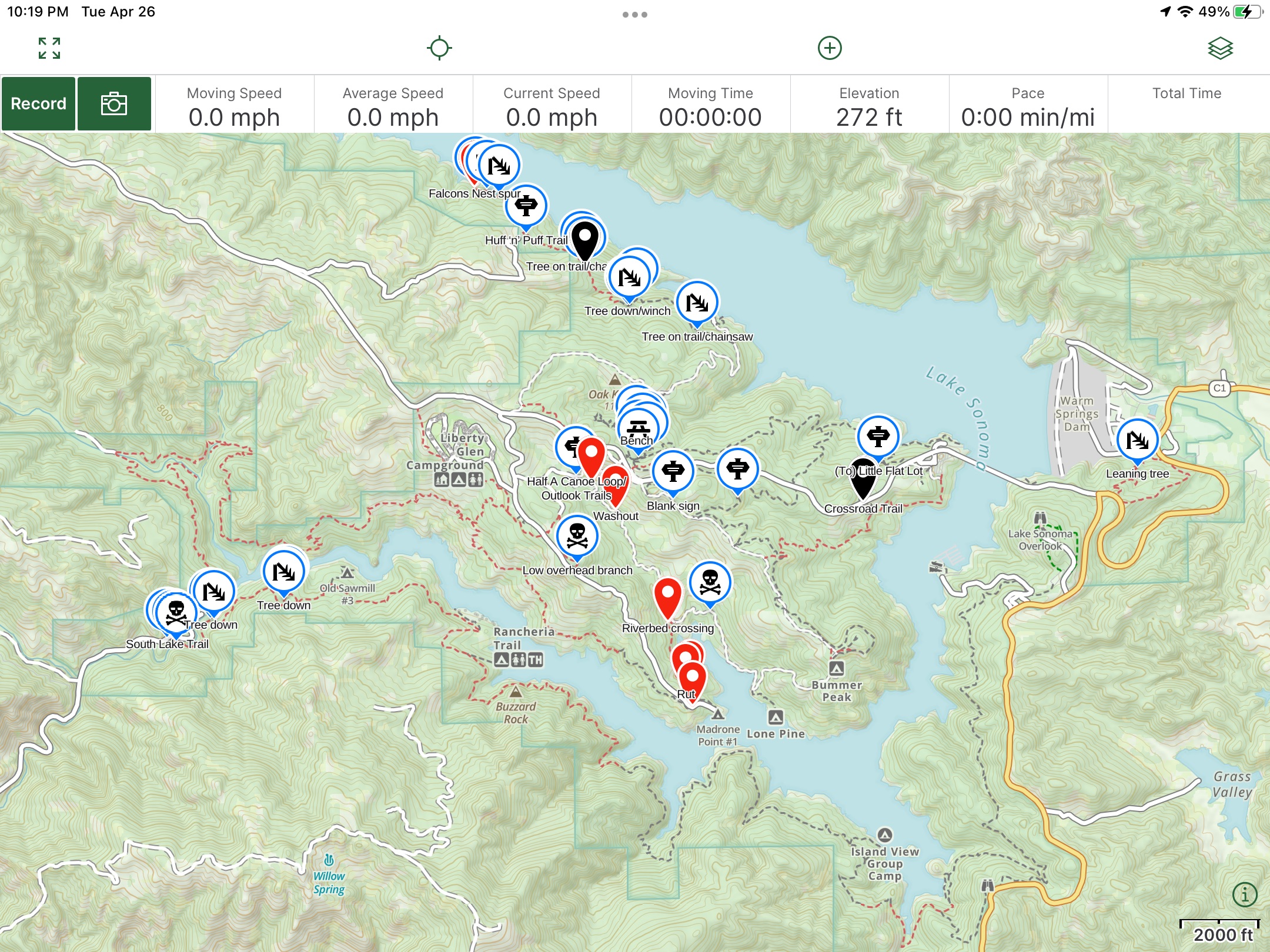
I sent these screenshots to customer support on April 27 with no response from them. Has this happened to anyone else?
All of the waypoints shown are in the Lake Sonoma folder. When I toggle the eye symbol to hide all the waypoints contained in this folder they should all disappear but some some remain. I checked each of the remaining waypoints and they are all in the Lake Sonoma folder.
There is only one Lake Sonoma folder.
-

Current version of the app os buggy as hell. Wait for a fix, and in the mean time, use something else....that;s just where it's at. Devs are non responsive,
0 -

This has happened to me too. I don't have a good workaround for it. My "solution" was to move and then re-add them to the folder, Turn the folder's visibility on and off multiple times. Eventually I was able to get the waypoints to recognize they were in a folder that wasn't visible. Clunky and frustrating. Map Packs beta? How about we just fix these kinds of things before trying new features.
0
Please sign in to leave a comment.
Comments
2 comments