
iOS bugs: Folders get listed twice, have unnecessary spacing.

Gaia GPS 2021.10 on iPad OS 14.8.1.
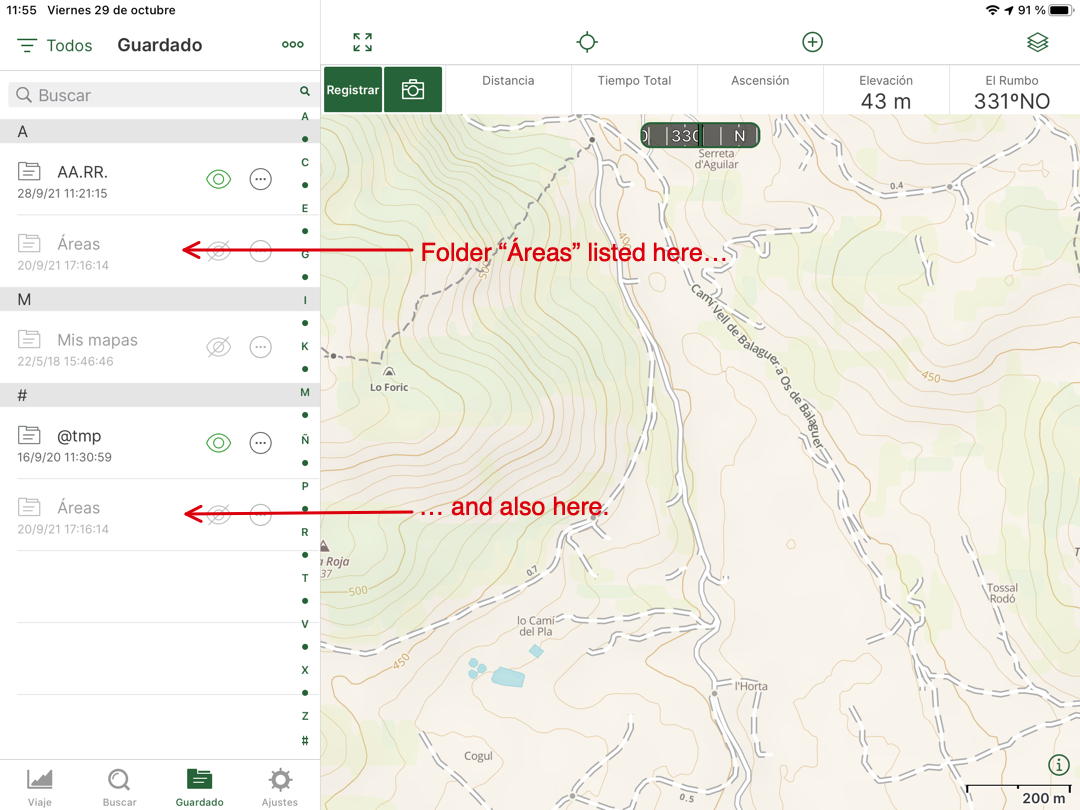
Folder list is set to display by name. Folders whose names start with an accented character (not uncommon in Spanish, French, …) get listed under the non-accented character and again under "#", unnecessarily cluttering the folder list:
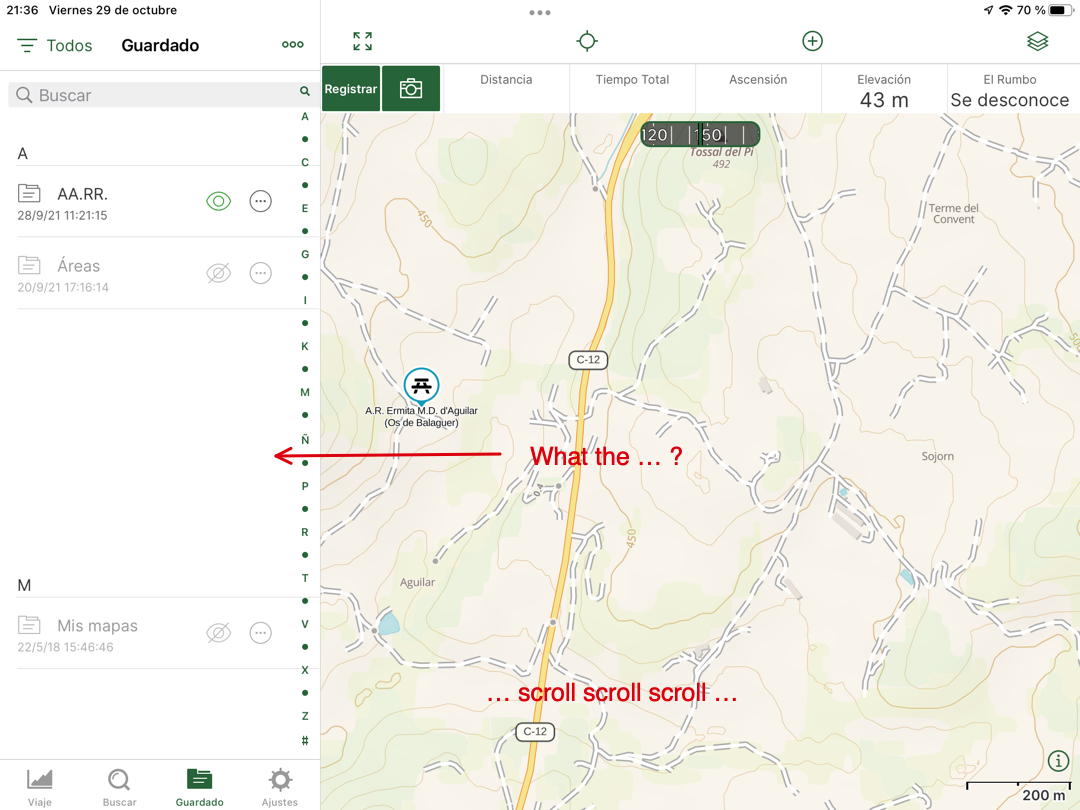
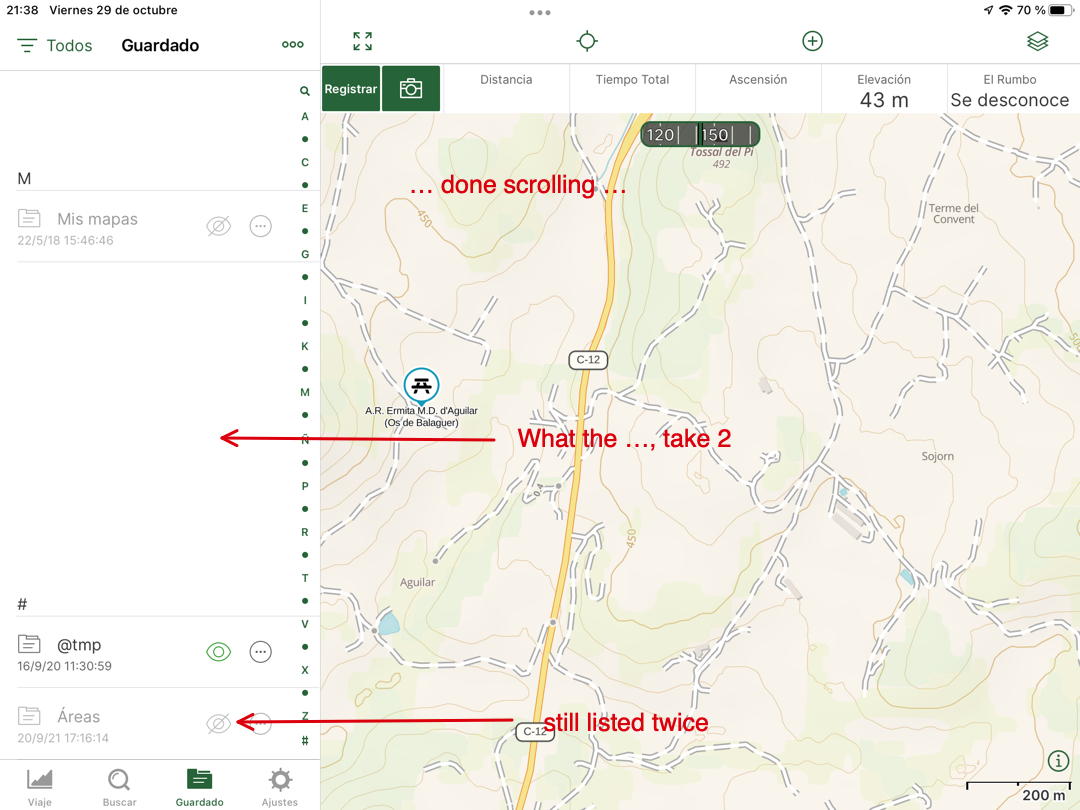
Edit: Just updated to Gaia GPS 2021.11 (no idea why auto update didn't work) and iPad OS 15.1 (I never install .0.x releases…) In addition to the above double listing bug, I now have lots of completely unnecessary spacing between the folders:
Tried preceding the folder name with some character to force them together. This is the result:
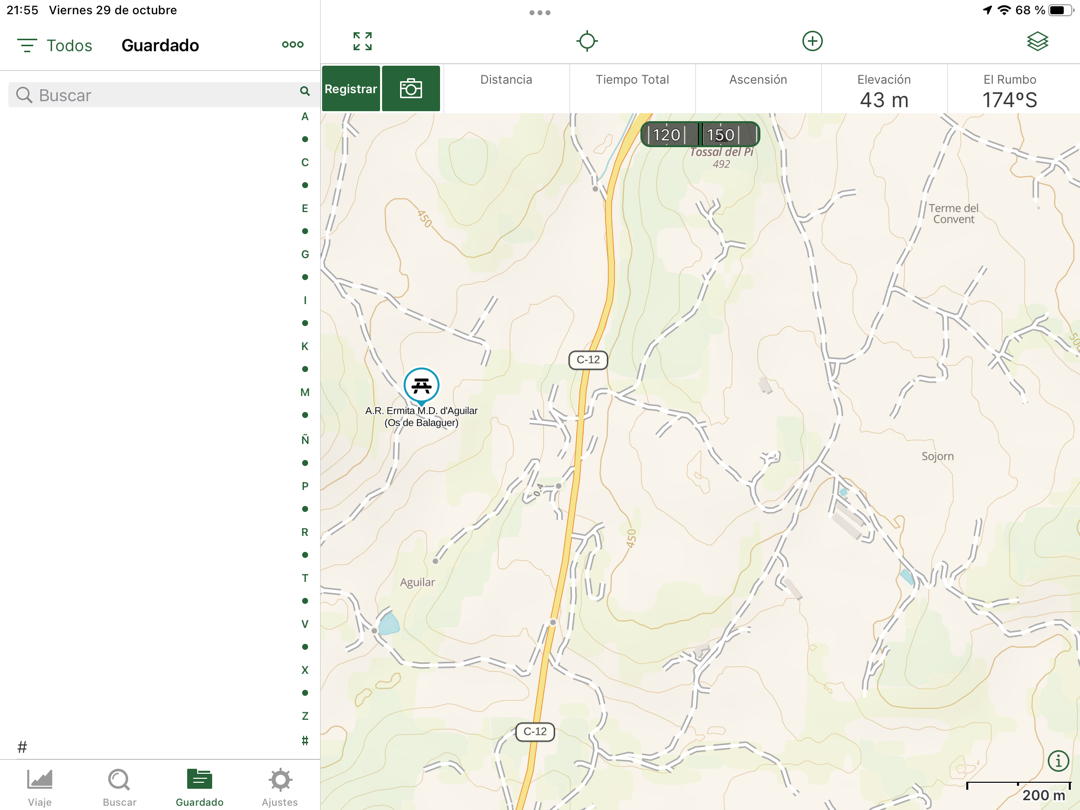
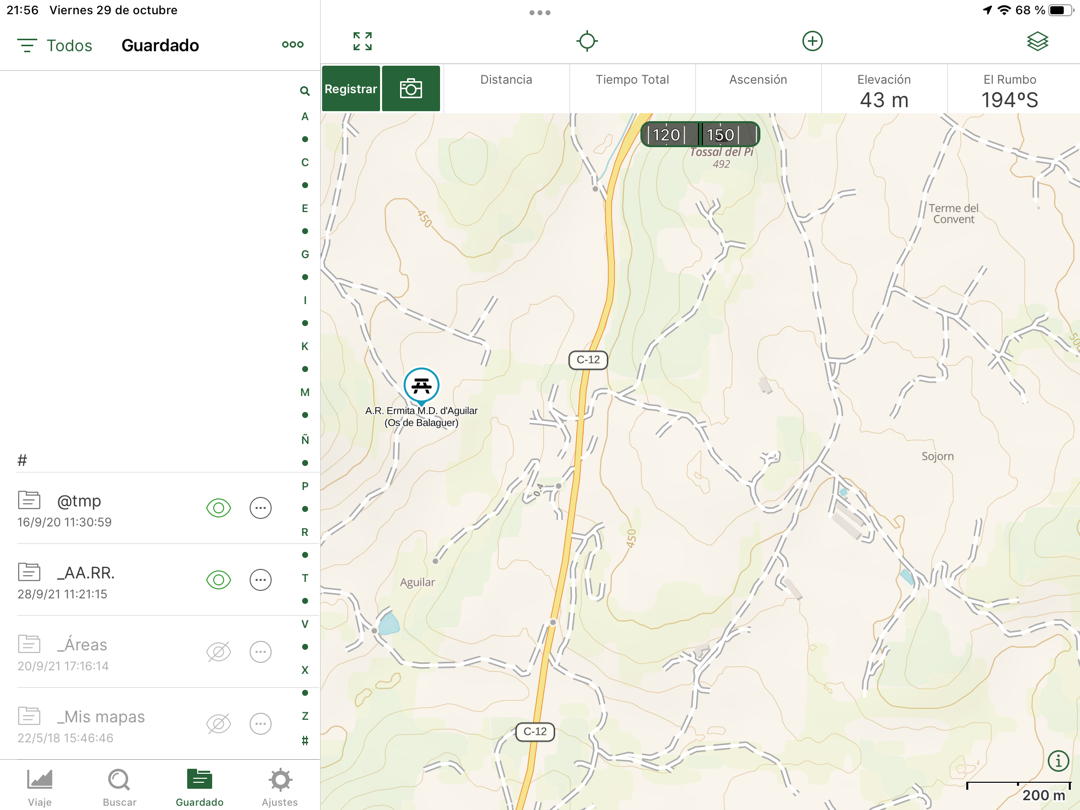
Filtering the list by "Folders" produces a somewhat acceptable result (both the space and the double listing are gone), but that's hardly an acceptable work-around:
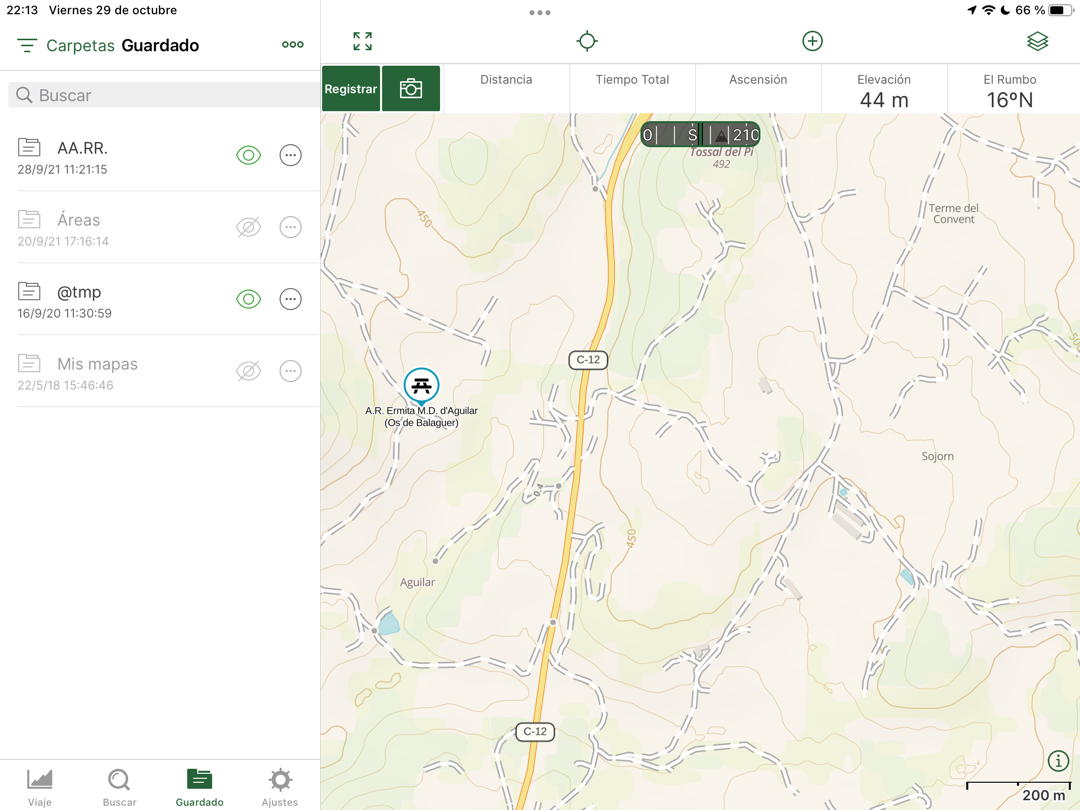
-

Hi Thomas,
Sorry for the trouble. I have emailed you directly to troubleshoot this issue.
0
Please sign in to leave a comment.
Comments
1 comment