
Creating selectable POI's in custom external map source (Mapbox Studio -> GaiaGPS)
Answered
I'm creating a custom external map source with mapbox studio (a few hundred poi/waypoints of motorcycle dealerships).
I can get them to show up in gaiagps when I publish and share the map. However, none of the points are selectable in the gaia map(web). Is there a way to create these points so that they are selectable?
I am looking for similar behavior as the USFS Recreations Sites source, for example. With that, I can select an item to get more information about it. Is that behavior possible with a custom external map source created with mapbox studio? If not, is it possible another way?
Thanks
Example Image of USFS Recreation Sites POI behavior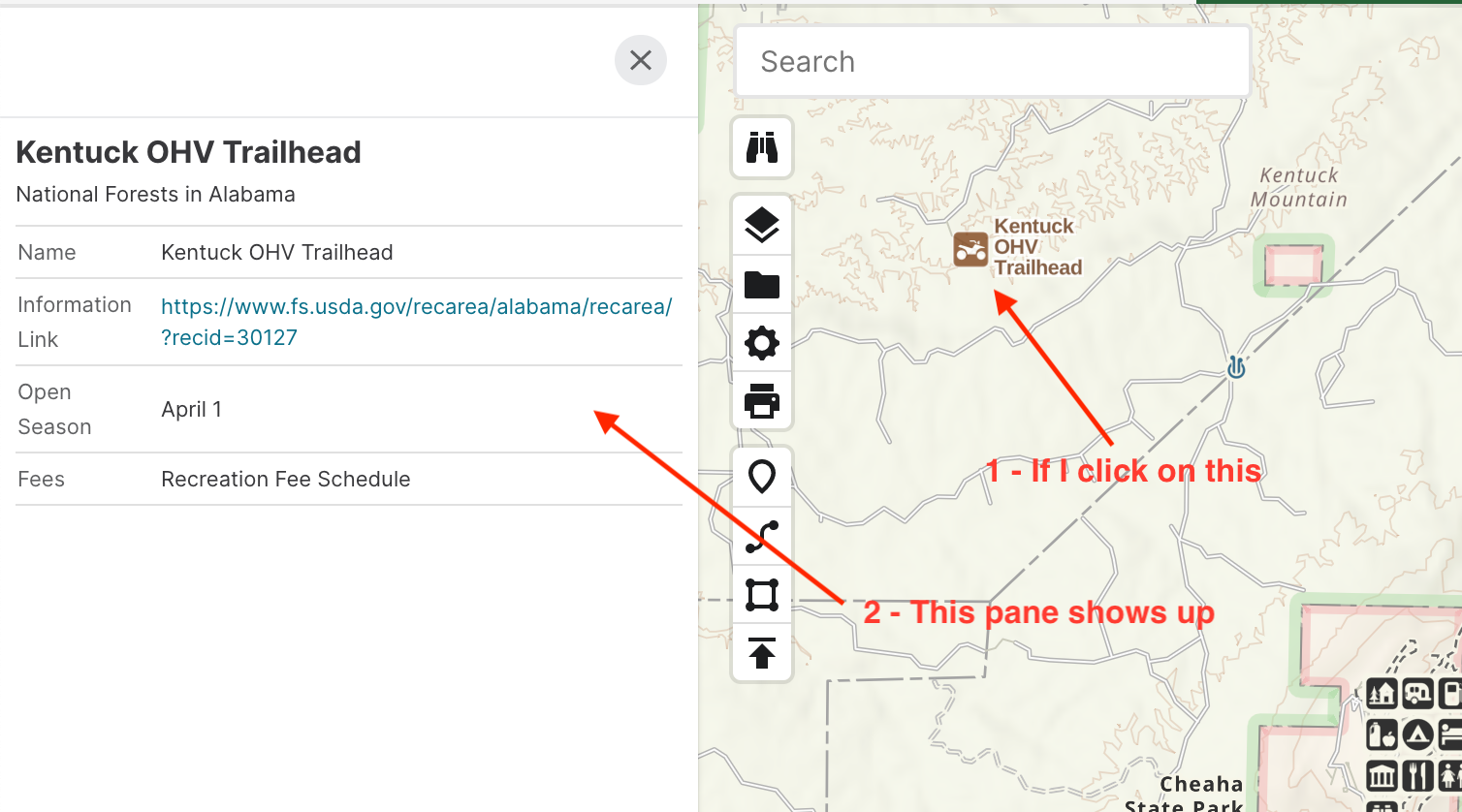
-

Hey Nate,
This kind of thing is quite complicated. This is what we pay our GIS engineers and cartographers to build. :)
We don't have a way for users to import custom interactive maps. Mapbox Studio allows you to build a raster map that we can display on the web and the app, but we currently don’t support interaction on these types of layers. If you're interested, our maps team recommends this course to learn how to build interactive map layers: https://www.e-education.psu.edu/geog585/node/519
A solution, albeit not as clean as a custom map source, is to import a GPX file of these dealerships as waypoints. Once imported, you can select any of these points and you can see their details in the side-panel.0 -
Chris -
Thank you so much for the information. I'll look at the open courseware and see if the technologies used are something I think I can wrap my head around.
For now, I have already been using the alternative you mention. It does work, but could use some features to improve the usability and experience (some of which I think y'all are already working on).
- Improving folder management/usability in the Web UI. I think I've seen mention of that being in the works.
- Allowing for bulk editing. For example, being able to change the icon for ~300 waypoints with one action. Right now, I think I have to do that one at a time.
- Provide the ability to upload a custom icon. The closest I can find from the stock ones (for a motorcycle dealership) is a bicycle. However, it's kind of moot right now since I'm not going to do that ~300 times :)
Again you may have some, or all, of those features on a backlog somewhere. For now, I'll take a look at the courseware (thanks again for sharing that) and see if that is in my wheelhouse to take on.
0
Please sign in to leave a comment.
Comments
2 comments