
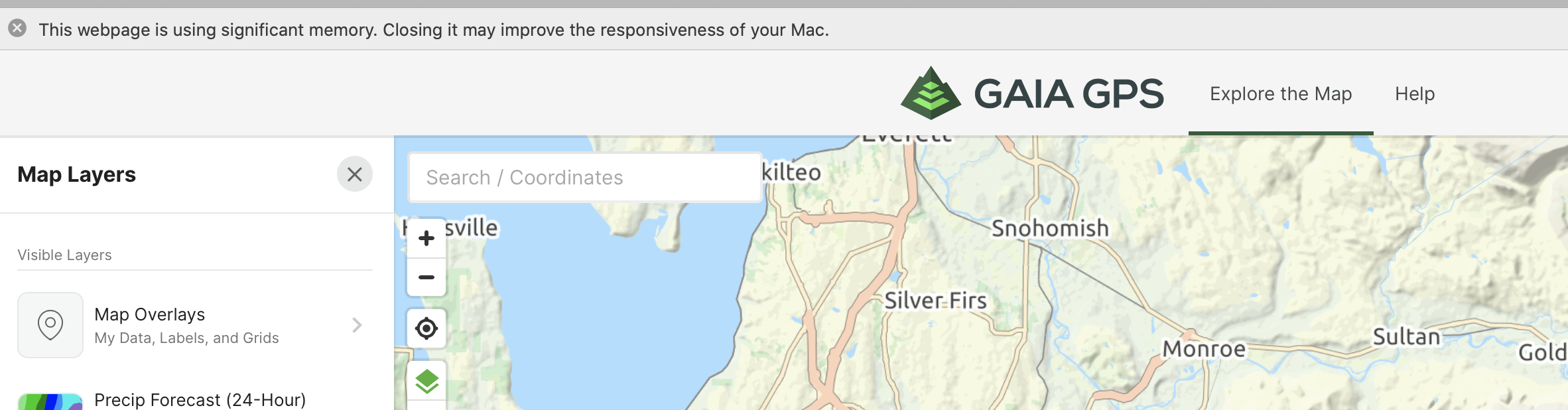
Continually getting high memory utilization

After use a few clicks around the map, I continue to get this memory pressure warning. What's up? 16GB high end iMac
0
-

Hi Mark, Sorry for the trouble. I have emailed you directly to troubleshoot further.
0 -

Having the same issues on my 2019 iMac with 40gb RAM
0 -

@OCMike_88,
Thanks for using Gaia GPS.
I'm sorry to hear that you're having trouble with memory usage on our website.
Safari will warn you when websites use a significant amount of memory - for a complex website like Gaia GPS, this is normal.
If you're having performance issues with your Mac when using the website, please try using another browser like Google Chrome or Firefox.
If a different browser does not work, please contact Support here.0
Please sign in to leave a comment.
Comments
3 comments