
GPS receiver

-

@Guillaume,
I can't say for sure if an external GPS receiver will outperform the internal GPS in your iPhone X. You'll have to test and compare the two for yourself.This article will show you how to use Gaia GPS with an external GPS receiver:
I can also point you toward some resources to help make the Gaia GPS app more accurate:- Gaia GPS isn't locating me. How do I adjust iOS location services?
- Why GPS Track Recording Can Be Inaccurate
- Displaying Current GPS Accuracy
If you have any further questions, please use the green 'Help' button in the corner.0 -

I use the Dual Electronics' XGPS150 with a WiFi-only iPad and have had mixed results. For recording a track while driving it is as good as my iPhone; when hiking it is much worse than an iPhone. Both my current iPhone 8 and deactivated iPhone 6 are equally accurate and far more accurate than the XGPS150 receiver. When hiking I keep my iPhone 6 in my pocket and the external GPS receiver attached to a loop at the top of my backpack. Even with this advantage either iPhone is far more accurate. For me the best practice is to use a deactivated iPhone as a GPS and save my daily driver iPhone for emergency use. I will be testing a Garmin Glo 2 this month and will share my experience here.
In the attached image I was using 2 GPSs: and WiFi-only iPad 6 (manufactured in 2018, blue line) and a deactivated iPhone 6 (manufactured in 2014, red line), and the route created via the Gaia website (green line that follows the dashed line). The black lines show unusually long stretches of perfectly straight lines which means to me:
- GPS receiver is not sending updated coordinates for more than a second,
- the iPad's Location Services is not relaying the coordinates to the Gaia GPS app,
- or the Gaia GPS app is somehow not keeping up with coordinate data coming from the GPS
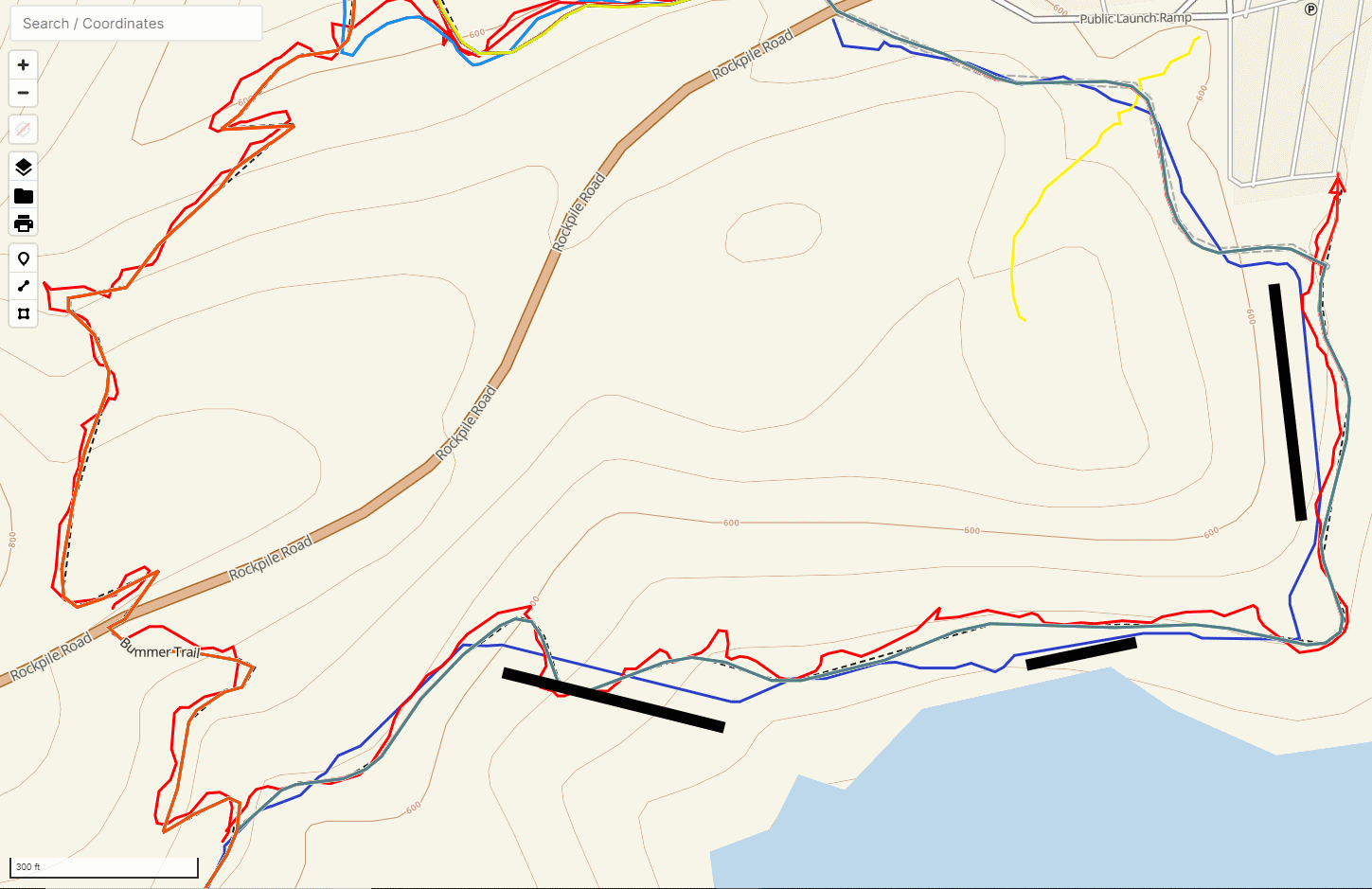
I will experiment with using the XGPS150 with both my iPhone.
0
Please sign in to leave a comment.
Comments
2 comments