
Black elevation chart right in the middle of my desktop when setting a route.

I'm a new user, Android,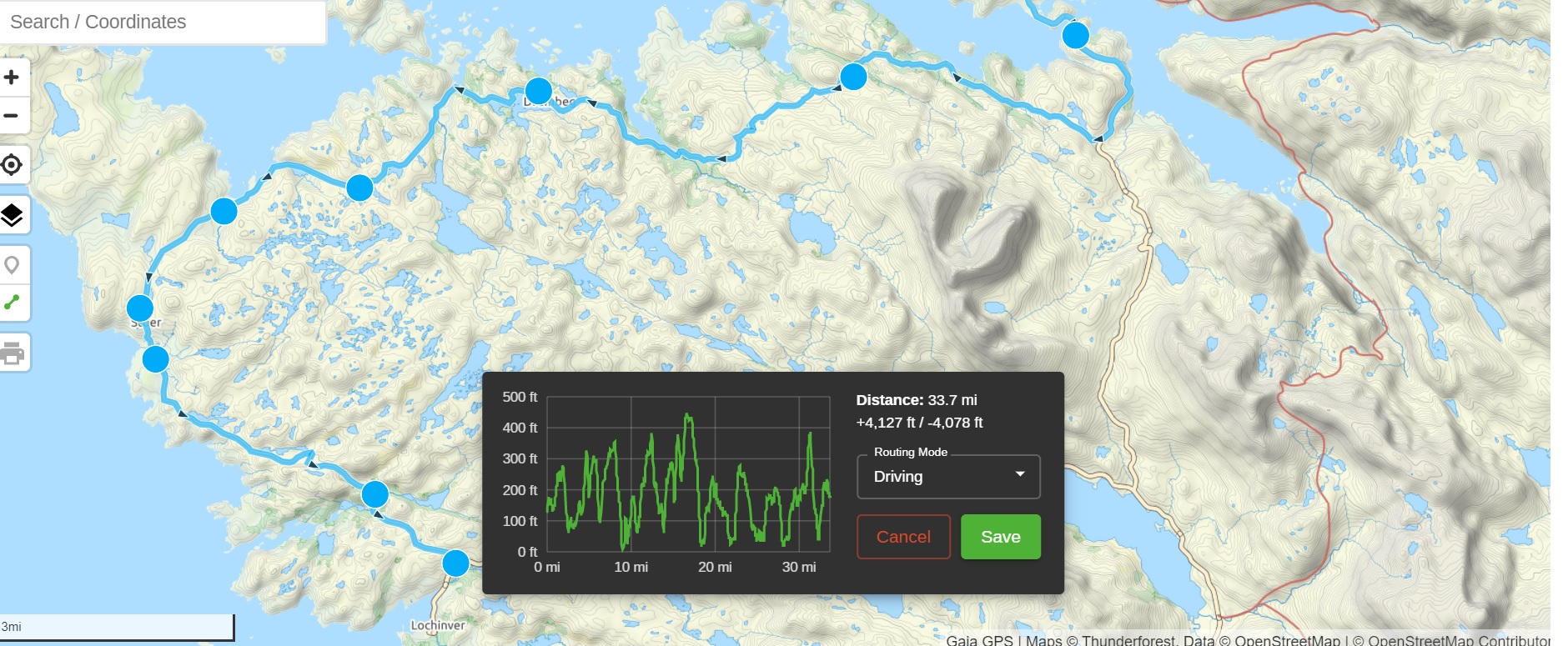 and was setting a route last night to start understanding how everything works. Whai I find extremely frustrating is the black elevation chart right in the middle of my desktop which I can't move or minimise when setting the new route. I have looked around the setting but haven't found anything to get rid of it. I also searched the help and did see someone else mention this amongst the screen freezing issue that was going on but there was no answer to the black box being stuck pretty much the the middle of your desktop when you're trying to see the map.
How do I get rid of this?
-

Agreed...
0 -

@vincerobb,
The elevation chart can't be moved. Sorry about that.
But this is a great idea and I can see how it would be helpful if it could be relocated on screen.
This post will serve as the official feature request.
0 -
Yes it certainly would be a great idea to get it moved or minimise it completely. Sorry but I thought it would have been totally obvious to the developers that you wouldn't want a box, where it is, when you're trying to plan a route. Sometimes I wonder where common sense it. Harsh but true.
0 -
vincerobb, I'm an engineer for a very large company, believe me, developers and end users are not always the same...
0
Please sign in to leave a comment.
Comments
4 comments