
shared track doesn't show up

Noob here. I'm evaluating Gaia for B/C ski use and realize I'll need the mid-level membership before I go out again. My friend shared a track he recorded with me on the weekend as I just signed up (still a free account). The only thing that came over was the three photos as waypoints at the summit but the track came over blank. It should have shown the breadcrumb trail and stats like 15 km and 700 m but instead there is no trail and no stats. Did he share incorrectly (he sent via text and I clicked the link which opened the app and I selected save)? Or is this an issue with the free membership and once I upgrade it will show up?
-

@erikvn, thanks for giving Gaia GPS a try.
I'm sorry the shared track you opened in the app doesn't show a path or stats. This is not the intended behavior, nor should you need to upgrade to a paid subscription to view shared data.
I have created a bug report and will continue to track this. I'll reach out to you if I have any questions to help diagnose the issue.
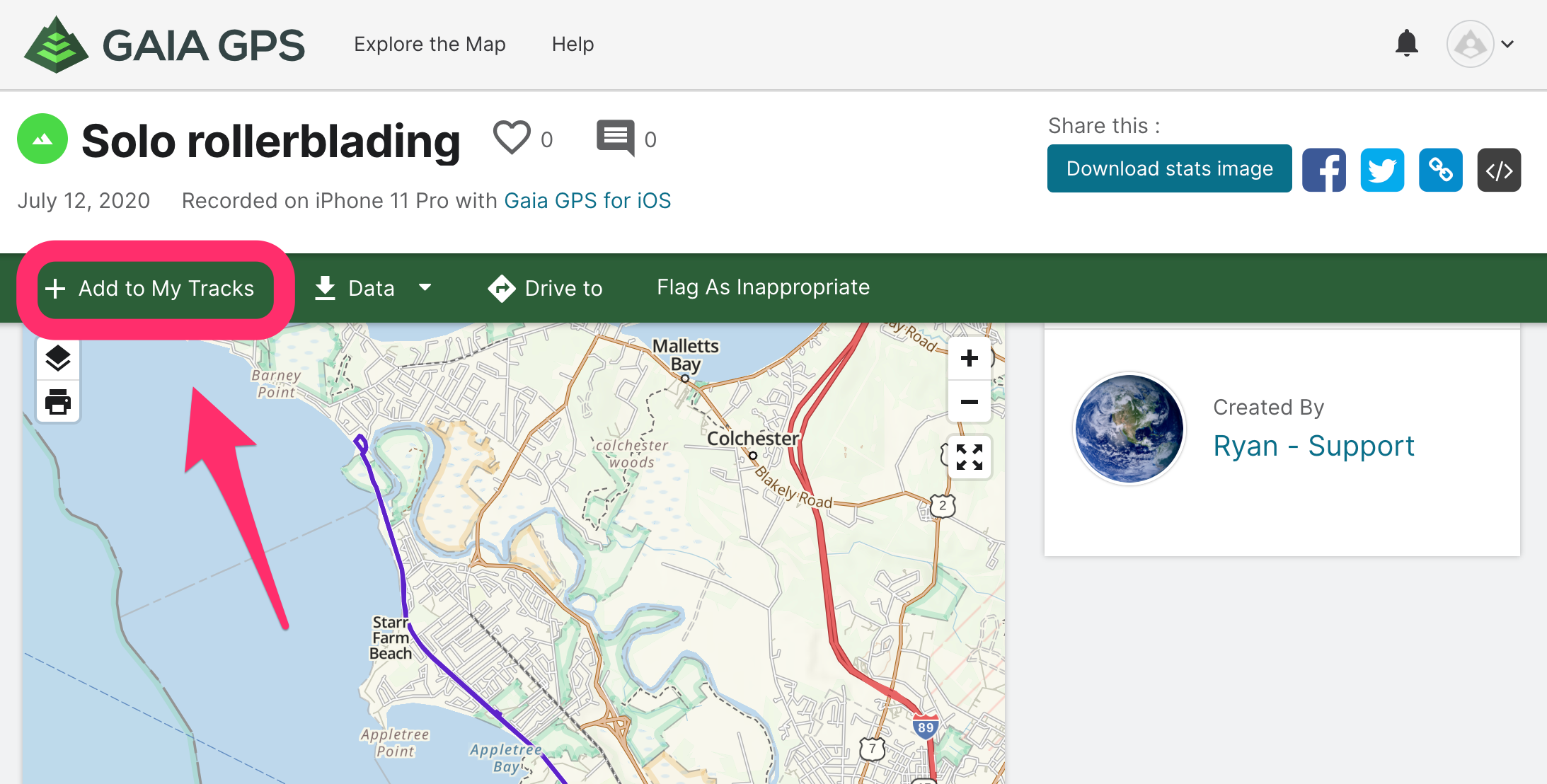
In the meantime, you can open and save the shared link in a web browser.- Make sure you're logged in with your Gaia GPS account on gaiagps.com.
- Click "+ Add to My Tracks".
- Sync your account in the app: Backup, Sync, and Transfer Your Data
- Now you should be able to view the saved track in the app.
Alternatively, if you don't have access to a computer, I recommend exporting a GPX file of the track and attaching that file to an email or text message by following these steps:
I apologize for the inconvenience this may cause. Please contact Support here if you have further questions.0
Please sign in to leave a comment.
Comments
1 comment